 Firefox

 1 / 8
Loading font…
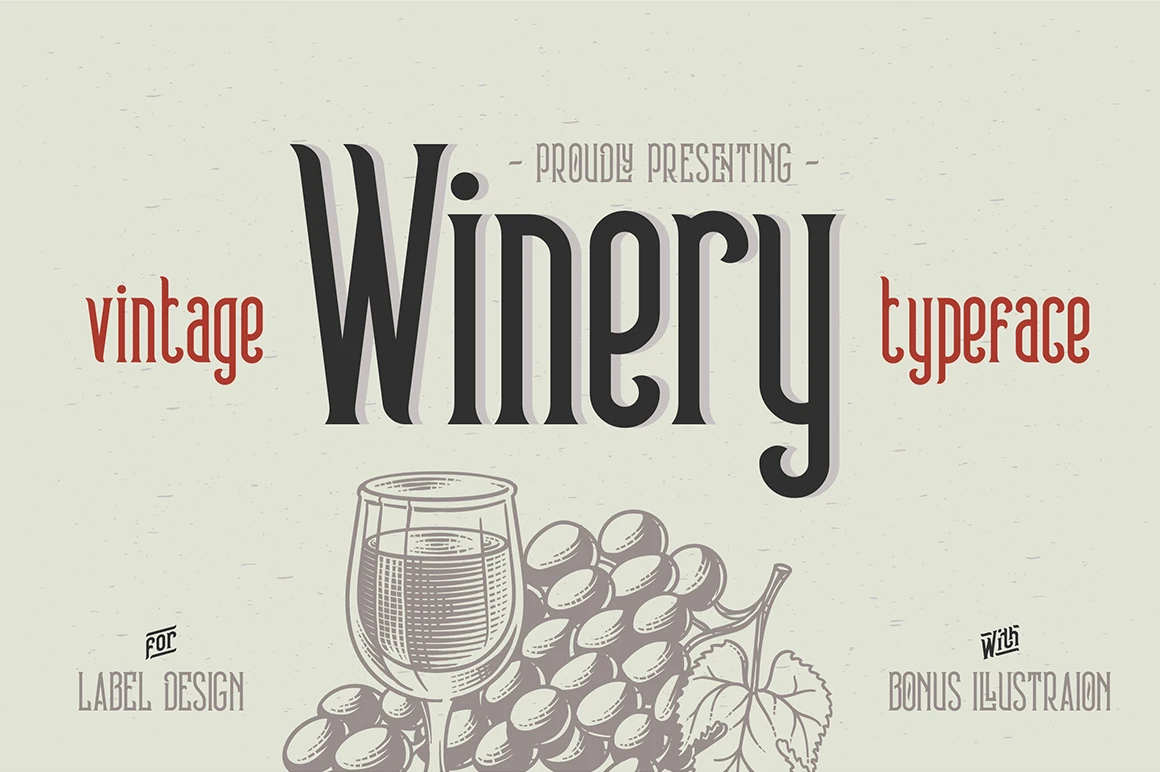
About Winery Font
Imagine designing wine labels or upscale restaurant menus where elegance and personality need to coexist without friction. Winery, created by Gleb Guralnyk, is a display font built precisely for this kind of work. What makes it distinctive is its library of ready-made catchphrases: common words like "The," "To," "Is," "And," "From," "What," "Where," and "When" are integrated as special ligatures, allowing them to render as cohesive graphic elements instead of separate letters stacked together.
This foundation makes the font ideal for luxury packaging, event invitations, and high-end branding work where a crafted appearance matters. Think wine labels and spirits packaging, craft cocktail menus, gallery opening announcements, or boutique retail signage. The ligatures let you combine words into pre-composed shapes that feel intentional and considered, reducing your design workload without compromising refinement. When you swap a standard "And" for the ligature version, it reads as part of the overall design rather than a convenient shortcut.
The font gives you genuine control over display work with real restraint. Instead of feeling forced or gimmicky, the catchphrases integrate naturally into your layouts, adding polish without overengineering. You get the typographic sophistication of a curated collection paired with the flexibility you need for real projects. Grab Winery on Creative Fabrica and discover how these ligatures can refine your next elegant design.
Style & Use Cases
- Overall Style
- Eye-catching, Bold
- Use Case
- Headlines, Logos
- Ideal For
- posters, branding, and social media graphics
- Pairs With
- a readable sans or serif for body
OpenType Features
Winery Font ships with 1 OpenType feature you can switch on in apps that support them (Illustrator, InDesign, Affinity, Figma, CSS font-feature-settings).
- Standard ligatures
How to Install Winery Font Font
Step-by-step instructions for every platform
- 1Download the Winery Font font file (.ttf or .otf).
- 2Locate the downloaded file in your Downloads folder.
- 3Right-click the font file.
- 4Select "Install" to install for the current user, or "Install for all users" to make it available system-wide.
- 5Winery Font is now available in Word, Photoshop, Illustrator, and all other apps.
More by Gleb Guralnyk
View all →

Browse fonts by theme
Curated collections →Saw a font in a picture? Identify any font from an image with our free Font Finder.
More Display Fonts
Browse all →
What pairs well with Winery Font?
Winery Font is a display font that shines as a display or heading face. Pair it with a clean sans-serif or serif font for body text — the contrast creates a clear hierarchy while the two styles stay balanced and easy to read.

Winery Font
Reviewed by the FontBoxDL team · Updated November 2026
One-time purchase