

Firefox extension · v1.1.0
Identify any font — from an image or a web page — in one right-click
The FontBoxDL Font Finder extension for Firefox recognizes fonts inside pictures, shows the real web font under your cursor, lists every font a page uses, and lets you try and save them. Free, no account.
The Firefox build is finished and under review at Firefox Add-ons. Meanwhile the web Font Finder works in every browser.
Nothing is read from a page until you click. What gets sent· Also for Chrome
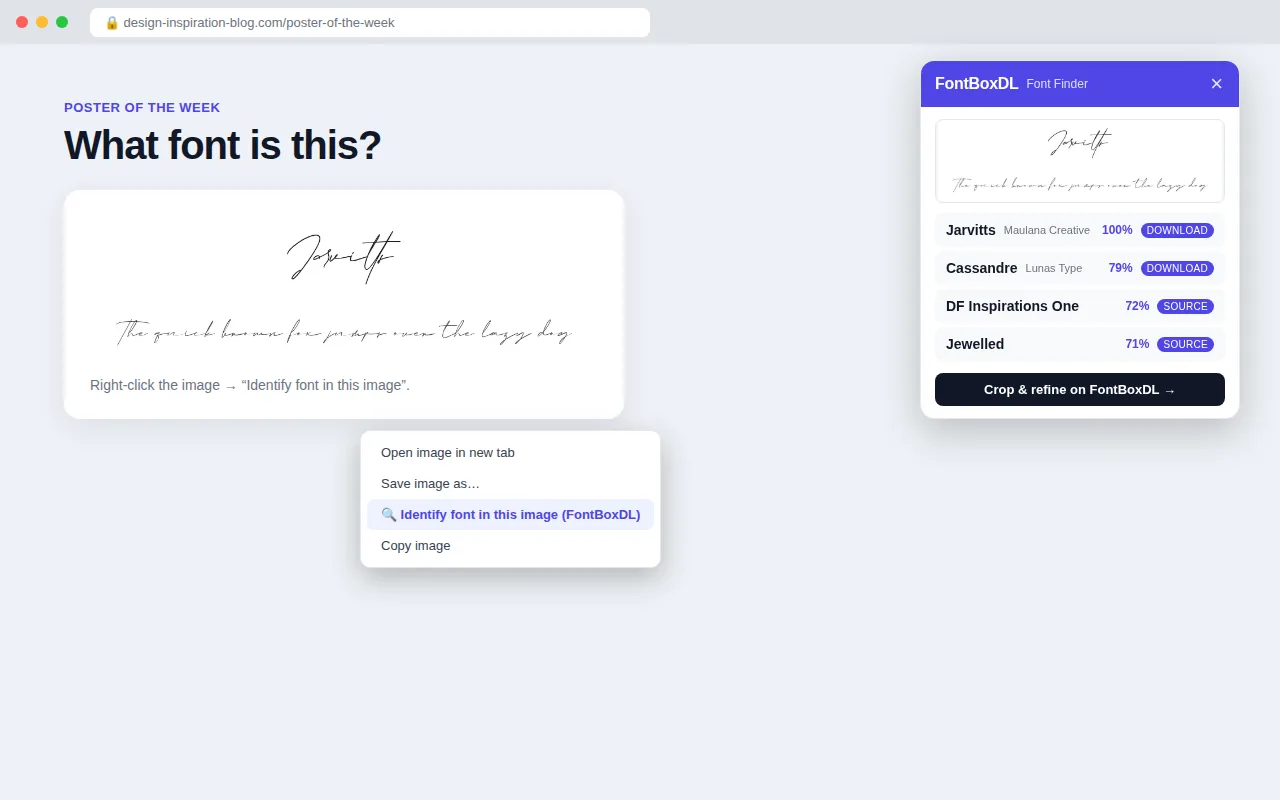
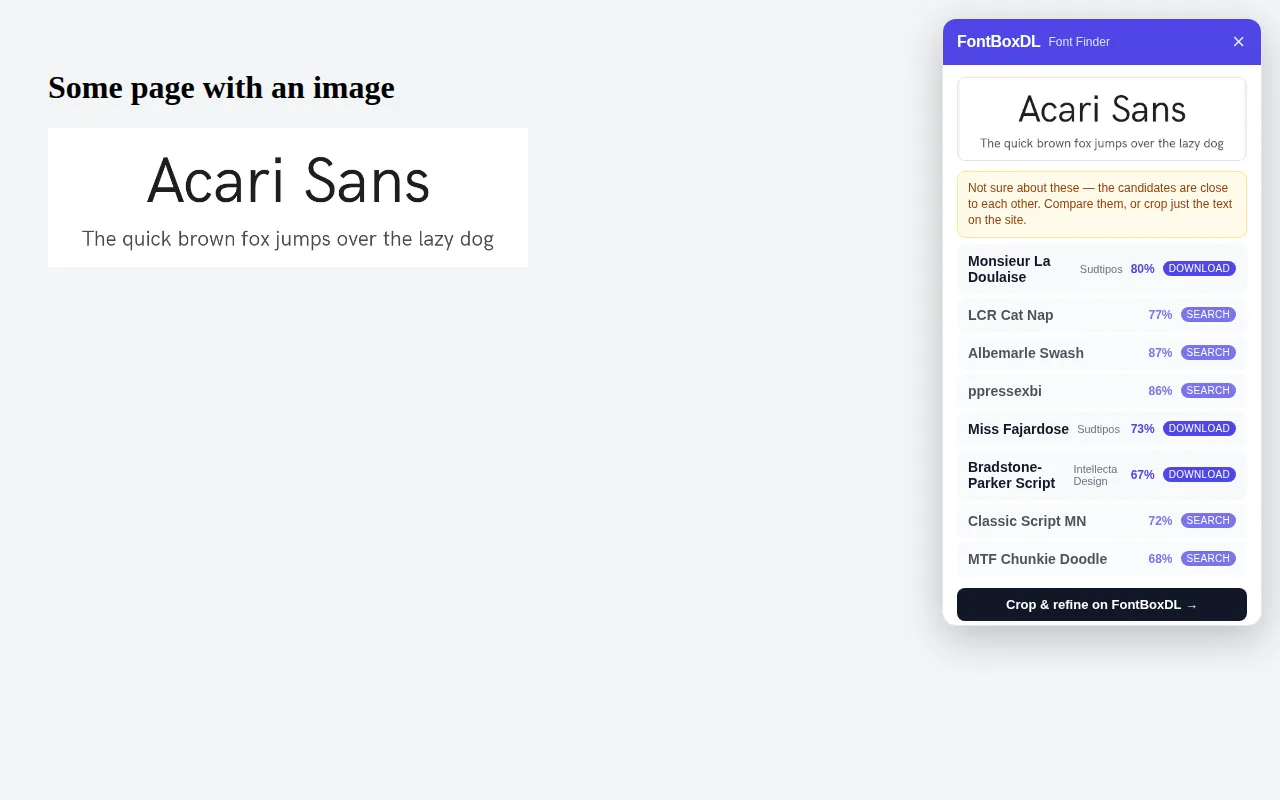
Identify a font from any image
Right-click a logo, poster, screenshot or photo and choose “Identify font in this image”. The FontBoxDL recognizer compares it with more than 260,000 fonts and shows the closest matches, each linking to a free download or the original source. When the match is uncertain, the panel says so instead of inventing a 99 %.
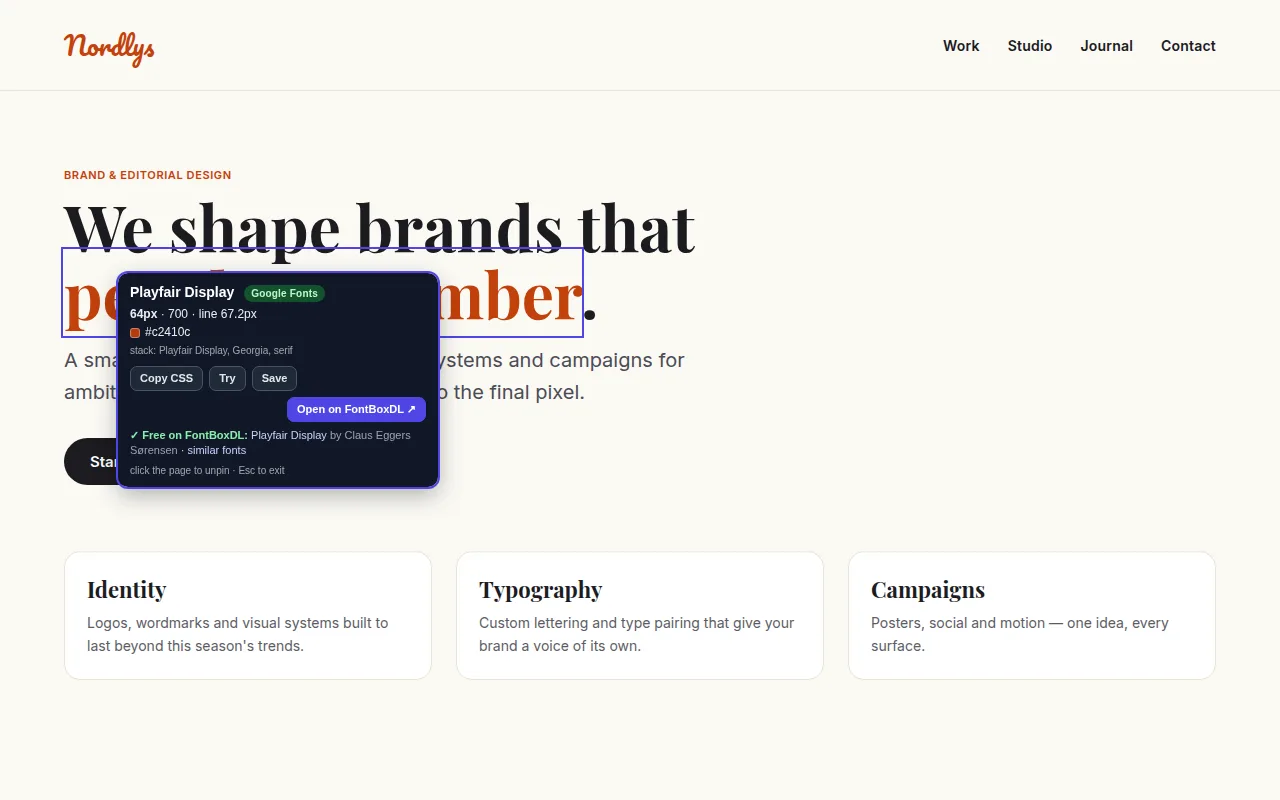
See the font that is really rendering
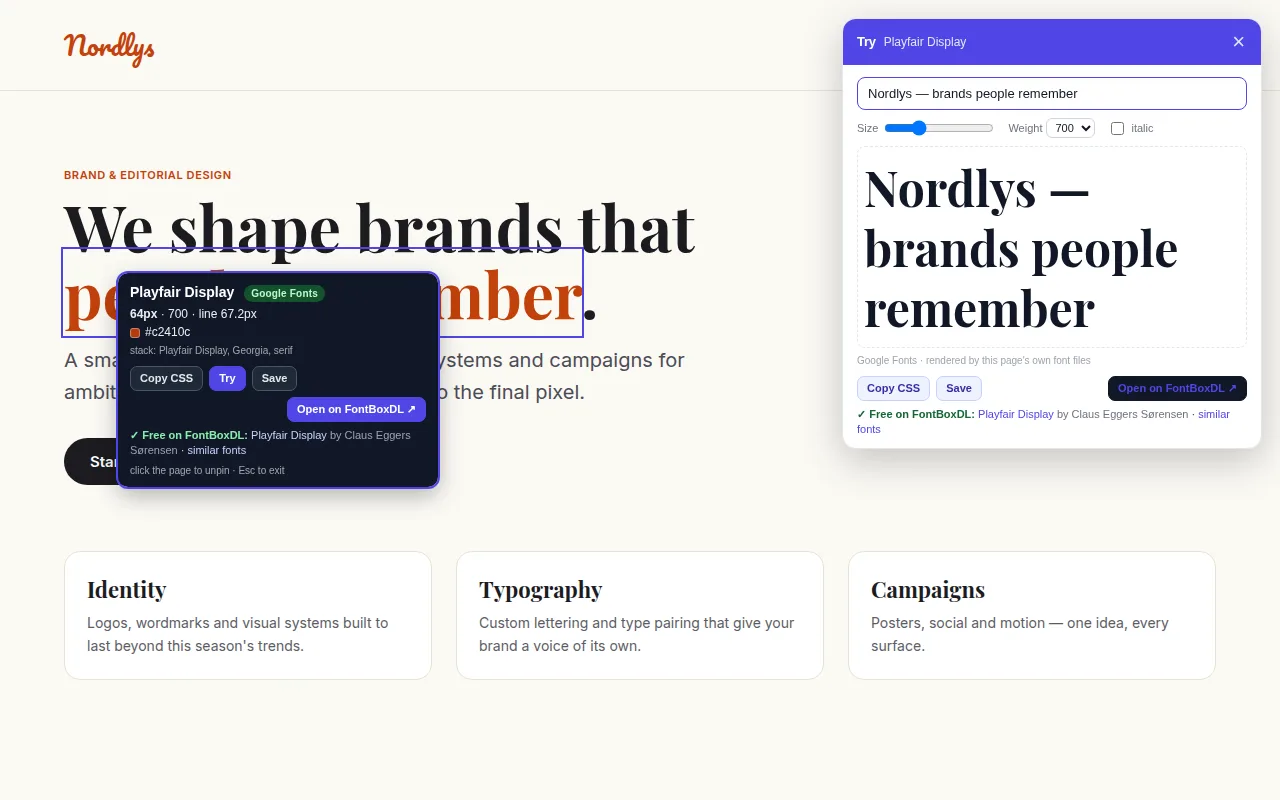
Turn on the hover inspector (Alt+Shift+F) and point at any text. You get the font that is actually drawn on screen — not just the first name in the CSS stack — plus where it comes from (a hosted web font, a font service or a system font), its size, weight, line-height, letter-spacing and hex color. Click to pin, then copy the CSS, try your own text, save it or open it on FontBoxDL with similar fonts.
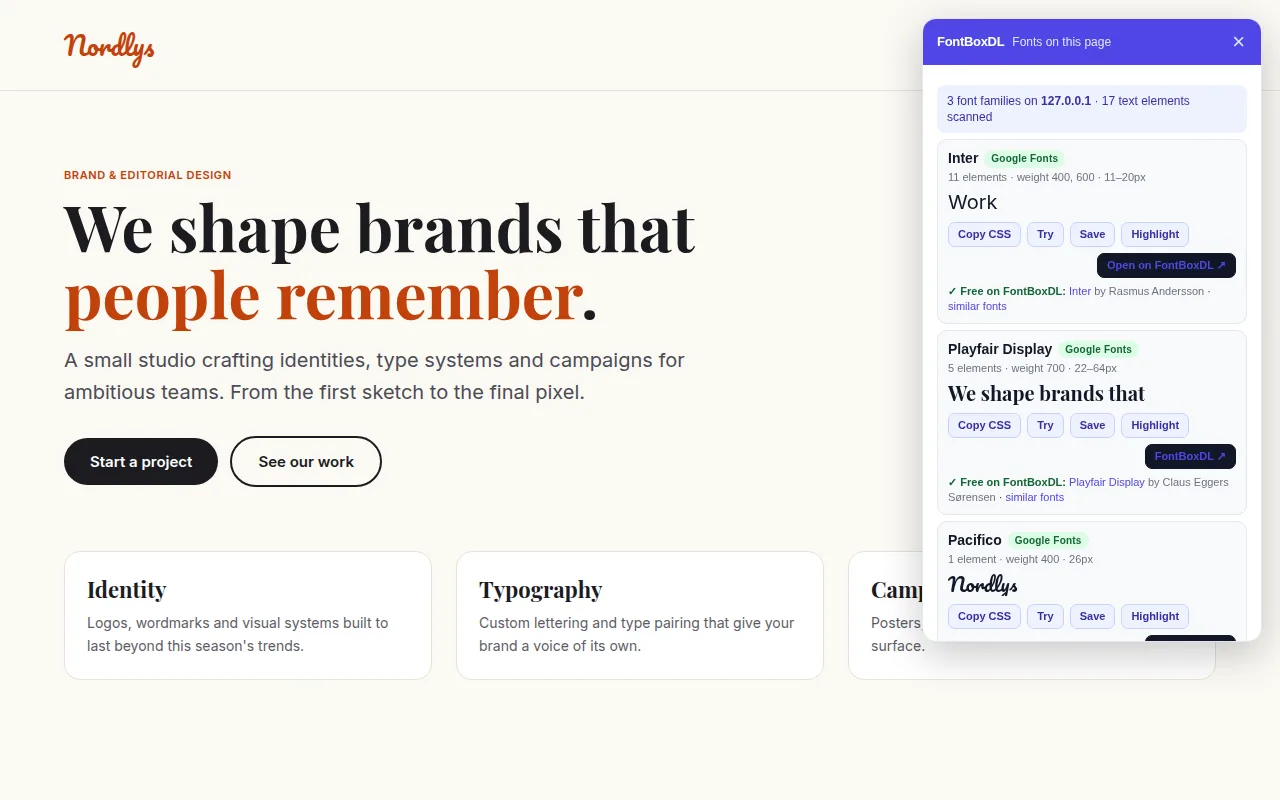
Every font the page uses
Press Alt+Shift+L or open the popup to list all font families on the page with element counts, weights, size range and a live sample. Highlight where each one is used, try it or save it for later.
Try your own text, save what you like
Type anything in a page font with a size slider, weight and italic — rendered by the page's own font files, so it is exact. Bookmarks stay in your browser; there is no account to create.
What makes it different
Images, not just CSS
Most font extensions can only read a page's stylesheet. This one also recognizes lettering inside pictures — logos, posters, screenshots.
Honest confidence
An “exact match” badge when we are sure, a warning when the candidates are close. No invented percentages.
Free downloads first
Results link to free, open-license fonts in our library whenever one matches, with similar fonts one click away.
Install in 30 seconds
- 1
Add to Firefox
Click the button on Firefox Add-ons and confirm. The add-on only touches the tab you are using, after your click.
- 2
Right-click an image
Choose “Identify font in this image”. The closest matches appear in a panel on the page.
- 3
Inspect any text
Press Alt+Shift+F to hover over text, or Alt+Shift+L to list every font on the page.
Privacy, in plain words
- The extension does nothing until you right-click an image, press a shortcut or open its popup.
- To identify an image it sends that image's address (or the image itself, for inline images) to fontboxdl.com and shows the answer. Nothing else on the page is read or sent.
- When you pin a font or open the page list, only the font family name (for example “Lobster”) is sent so we can find it in our catalog.
- Saved fonts live in your own browser. No account, no sync, no analytics inside the extension.
- As Mozilla requires, the add-on declares this data use (“website content”, only when you act) in its manifest, so Firefox shows it before you install.
- No broad host permissions: it only touches the tab you are using, after your click. Full policy: fontboxdl.com/privacy.
Questions
- Is the extension free?
- Yes. There is no paid tier, no signup and no usage cap beyond a fair-use rate limit on the recognizer.
- Which browsers does it work in?
- Firefox 140 or newer on desktop (Firefox for Android is not supported yet). Using Chrome, Edge, Opera or Brave? Get the Chrome extension. Safari is not supported; there, use the web Font Finder.
- What does it send to FontBoxDL?
- Only what you ask it to: the address of the image you right-clicked (or the image itself for inline images), and the name of a font family when you pin it or open the page list, so we can look it up in our catalog. It never reads a page until you act, and it collects no browsing history or personal data.
- Does it work on photos and screenshots, not just web fonts?
- Yes — that is the point. Most font extensions only read a page's CSS. This one also recognizes lettering inside pictures: logos, posters, product shots, social media images.
- The match is not exact. What can I do?
- Open the result on FontBoxDL and use the crop tool to select just the letters, or try a sharper, larger image. The full Font Finder page has cropping and lets you refine the search.
Stop guessing fonts
One right-click on any image, one hover on any text.
Get it for Chrome · Prefer not to install anything? Use the web Font Finder · Read the guide: How to identify a font from an image