 Firefox

 1 / 8
Loading font…
About Vanmory Font
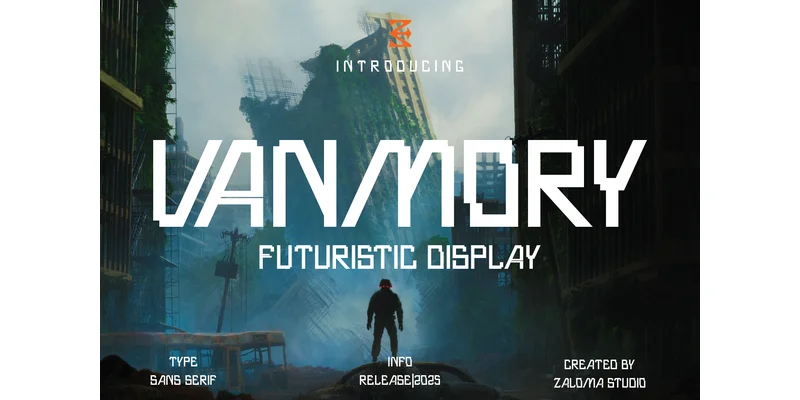
You're designing a video game interface or building out a tech startup's visual identity, and you need letterforms that combine sharp geometry with genuine personality. Vanmory, created by Zaloma Studio, delivers that cutting-edge quality immediately upon use. This display typeface builds on clean geometric principles but distinguishes itself through intentional letter design choices: the "A" without a crossbar is a signature example of how each character has been rethought from the ground up. That kind of deliberate simplification signals forward-thinking technology work without sacrificing legibility or visual impact.
The font works well in video game title sequences, tech product packaging, sci-fi poster campaigns, and minimalist monogram designs where individual letterforms function as graphic elements. Because of its geometric construction, the typeface reads with clarity even at large display sizes, making it dependable for hero headlines and standalone brand identity marks. Every stroke has a reason for existing, so there's no wasted visual effort or unnecessary detail cluttering the letter shapes.
The simplicity of its stroke structure gives you flexibility to layer it, play with color treatment, or use it solo as a confident typographic foundation. Grab Vanmory on Creative Fabrica and make it part of your design system.
Style & Use Cases
- Overall Style
- Eye-catching, Bold, Display
- Use Case
- Headlines, Logos
- Ideal For
- posters, branding, and social media graphics
- Pairs With
- a readable sans or serif for body
OpenType Features
Vanmory Font ships with 7 OpenType features you can switch on in apps that support them (Illustrator, InDesign, Affinity, Figma, CSS font-feature-settings).
- Discretionary ligatures
- Fractions
- Standard ligatures
- Ordinals
- Stylistic alternates
- Superscripts
- Stylistic sets (4)
How to Install Vanmory Font Font
Step-by-step instructions for every platform
- 1Download the Vanmory Font font file (.ttf or .otf).
- 2Locate the downloaded file in your Downloads folder.
- 3Right-click the font file.
- 4Select "Install" to install for the current user, or "Install for all users" to make it available system-wide.
- 5Vanmory Font is now available in Word, Photoshop, Illustrator, and all other apps.
Browse fonts by theme
Curated collections →Saw a font in a picture? Identify any font from an image with our free Font Finder.
More Display Fonts
Browse all →







What pairs well with Vanmory Font?
Vanmory Font is a display font that shines as a display or heading face. Pair it with a clean sans-serif or serif font for body text — the contrast creates a clear hierarchy while the two styles stay balanced and easy to read.




Vanmory Font
Reviewed by the FontBoxDL team · Updated November 2026
One-time purchase