 Firefox
 1 / 6
1 / 6About Silver Stone Font
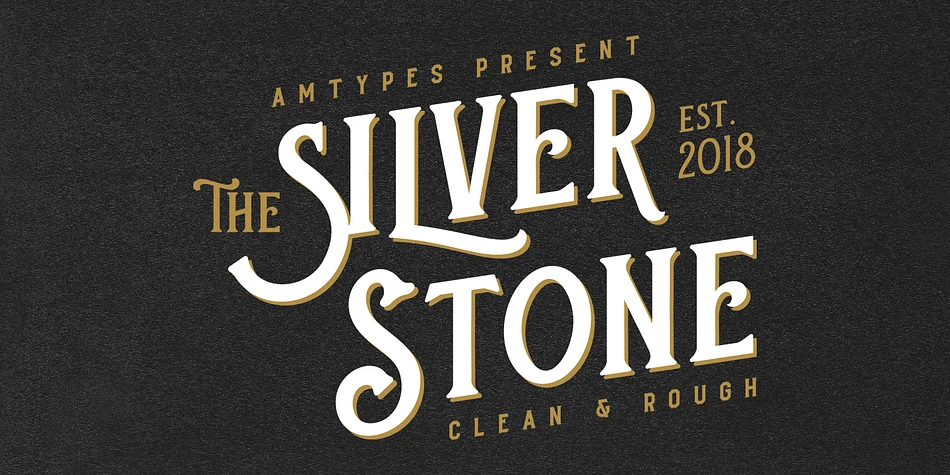
Silver Stone, designed by Angga Mahardika, carries the warm, slightly weathered character of mid-century commercial lettering. The typeface draws authenticity from old consumer packaging, vintage book cover designs, and antique tin labels, but its letterforms read as genuinely aged rather than artificially distressed. The appeal works because it doesn't oversell the period; the forms speak plainly without fuss.
This display font finds steady work on heritage brand identity systems, custom vintage-style product packaging for apothecary labels and boutique skincare collections, and book cover designs that lean into retro aesthetics. Vinyl record sleeves, antique shop signage, and DIY craft projects all benefit from the retro character Silver Stone brings to the table. When you need alternates and ligatures, the OpenType features deliver options across Adobe Illustrator, Photoshop, InDesign, and CorelDraw X6 and newer versions.
Designers building out vintage-inspired branding systems or launching retro product lines will find this font handles the heavy lifting on period authenticity. Its letterforms carry enough character on their own that you can focus your energy on layout choices and composition decisions. It's the kind of typeface that works without needing hand-distressing or extra effects layered on top. You can pick up Silver Stone on Creative Fabrica and add it to your vintage design toolkit.
Style & Use Cases
- Overall Style
- Eye-catching, Bold
- Use Case
- Headlines, Logos
- Ideal For
- posters, branding, and social media graphics
- Pairs With
- a readable sans or serif for body
How to Install Silver Stone Font
Step-by-step instructions for every platform
- 1Download the Silver Stone font file (.ttf or .otf).
- 2Locate the downloaded file in your Downloads folder.
- 3Right-click the font file.
- 4Select "Install" to install for the current user, or "Install for all users" to make it available system-wide.
- 5Silver Stone is now available in Word, Photoshop, Illustrator, and all other apps.
More by Angga Mahardika
View all →

Browse fonts by theme
Curated collections →Saw a font in a picture? Identify any font from an image with our free Font Finder.
More Display Fonts
Browse all →







What pairs well with Silver Stone Font?
Silver Stone Font is a display font that shines as a display or heading face. Pair it with a clean sans-serif or serif font for body text — the contrast creates a clear hierarchy while the two styles stay balanced and easy to read.




Silver Stone Font
Reviewed by the FontBoxDL team · Updated September 2026