 Firefox

 1 / 7
Loading font…
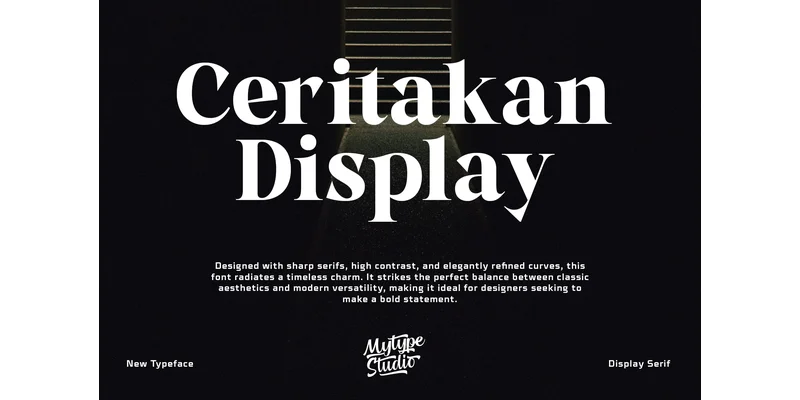
About Ceritakan Display Font
Ceritakan Display has real presence. Designed by Mytype Studio, this serif font combines crisp stroke contrast with smooth, deliberate curves that feel both grounded and contemporary. It's the kind of typeface that commands attention without ever feeling heavy-handed or overwrought.
The high-contrast structure makes it excel at luxury branding projects, high-end cosmetics packaging, editorial magazine mastheads, and upscale restaurant menu design. It works beautifully for coffee table book covers, invitation suites for weddings and galas, and gallery exhibition posters that demand to feel intentionally premium. The distinct serifs are sharp enough to project confidence and authority, while the refined curves throughout keep the overall expression sophisticated rather than austere. This careful balance between classic serif tradition and bold modern geometry is exactly what allows it to work across such varied contexts, from corporate environments to independent creative studios and publishing houses.
Pair Ceritakan Display with a clean geometric sans-serif for body text, letting the serif's visual weight anchor your headlines while the sans handles readable copy. The contrast between the two becomes a deliberate part of your visual system, creating hierarchy that feels both intentional and professional. Find it on Creative Fabrica and put it to work in your next sophisticated design.
Style & Use Cases
- Overall Style
- Eye-catching, Bold, Bold Typography
- Use Case
- Headlines, Logos
- Ideal For
- posters, branding, and social media graphics
- Pairs With
- a readable sans or serif for body
OpenType Features
Ceritakan Display Font ships with 3 OpenType features you can switch on in apps that support them (Illustrator, InDesign, Affinity, Figma, CSS font-feature-settings).
- Fractions
- Ordinals
- Superscripts
How to Install Ceritakan Display Font Font
Step-by-step instructions for every platform
- 1Download the Ceritakan Display Font font file (.ttf or .otf).
- 2Locate the downloaded file in your Downloads folder.
- 3Right-click the font file.
- 4Select "Install" to install for the current user, or "Install for all users" to make it available system-wide.
- 5Ceritakan Display Font is now available in Word, Photoshop, Illustrator, and all other apps.
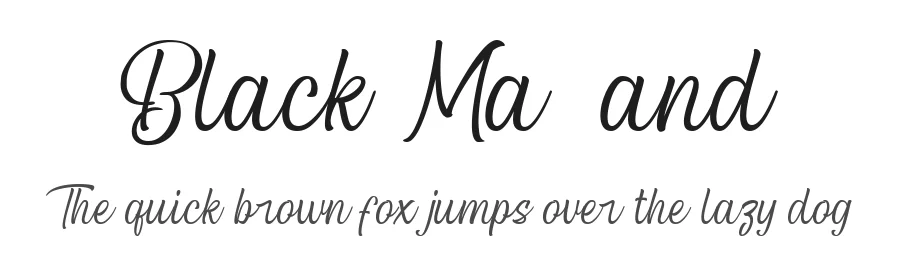
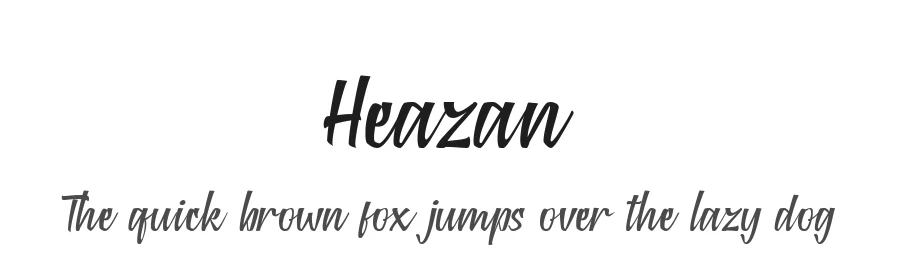
More by Mytype Studio
View all →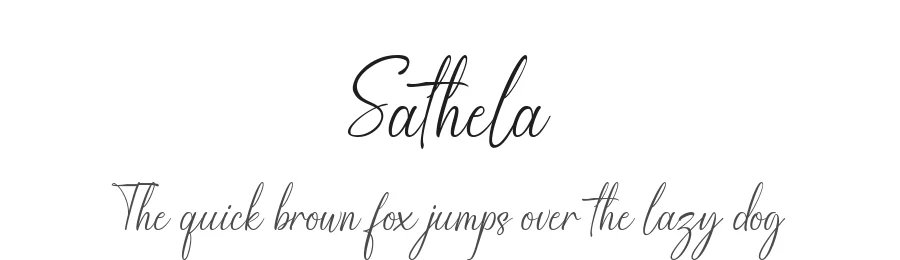
Browse fonts by theme
Curated collections →Saw a font in a picture? Identify any font from an image with our free Font Finder.
More Display Fonts
Browse all →







What pairs well with Ceritakan Display Font?
Ceritakan Display Font is a display font that shines as a display or heading face. Pair it with a clean sans-serif or serif font for body text — the contrast creates a clear hierarchy while the two styles stay balanced and easy to read.




Ceritakan Display Font
Reviewed by the FontBoxDL team · Updated November 2026
One-time purchase