 Firefox

 1 / 3
Loading font…
About Accords Font
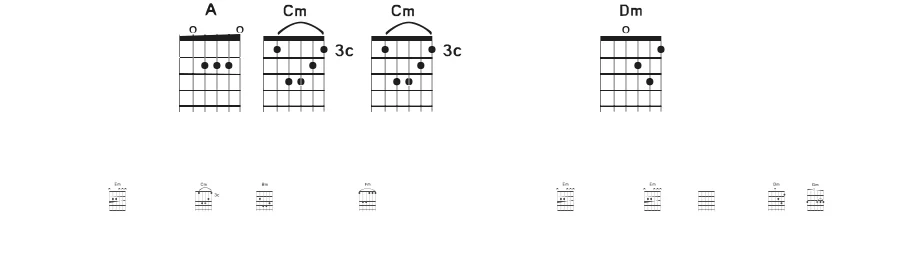
Accords is a display dingbat font that brings together 75 individual characters specifically designed for decorative and ornamental applications. This symbol-based typeface serves as a straightforward resource for adding distinctive visual accents to creative projects where embellishment and character fundamentally shape the overall design direction and aesthetic impact.
Scrapbooking layouts, greeting card suites, and vinyl cutting projects all benefit significantly from Accords' diverse symbol collection and rich decorative vocabulary. These 75 glyphs work particularly well for crafters building ornamental elements into their designs, and they're equally suited to invitation packages and stationery pieces needing elegant dividers, decorative borders, or corner accents. Social media graphics and Etsy shop banners gain immediate visual interest and character variation through this symbol library, offering designers efficient solutions for establishing personality and visual richness in their layouts without requiring additional custom illustration work.
The font is free for personal use only, with commercial licensing available through the designer for business applications. Pair Accords with a clean, legible sans-serif typeface to create strong visual hierarchy: these decorative symbols anchor your designs as focal points while sans-serif text handles legibility and message delivery with clarity.
Style & Use Cases
- Overall Style
- Eye-catching, Bold, Dingbats
- Use Case
- Headlines, Logos
- Ideal For
- posters, branding, and social media graphics
- Pairs With
- a readable sans or serif for body
Accords Specifications
| Font Family | Accords |
| Style | Regular |
| Full Name | Accords |
| Version | 1998 |
| Weight | 400 (Regular) |
| Glyph Count | 75 glyphs |
| PostScript Name | Accords |
| Format | TTF (TrueType) |
| File Size | 46.4 KB |
How to Install Accords Font
Step-by-step instructions for every platform
- 1Download the Accords font file (.ttf or .otf).
- 2Locate the downloaded file in your Downloads folder.
- 3Right-click the font file.
- 4Select "Install" to install for the current user, or "Install for all users" to make it available system-wide.
- 5Accords is now available in Word, Photoshop, Illustrator, and all other apps.
Browse fonts by theme
Curated collections →Saw a font in a picture? Identify any font from an image with our free Font Finder.
More Display Fonts
Browse all →







What pairs well with Accords Font?
Accords Font is a display font that shines as a display or heading face. Pair it with a clean sans-serif or serif font for body text — the contrast creates a clear hierarchy while the two styles stay balanced and easy to read.




Premium Display Fonts
★ PremiumWant something with more weights, glyphs, and commercial polish? These premium display fonts are worth a look.




Accords Font
Reviewed by the FontBoxDL team · Updated October 2026
License: Free for personal use