 Firefox
 1 / 8
1 / 8About Wood Type DIY Font
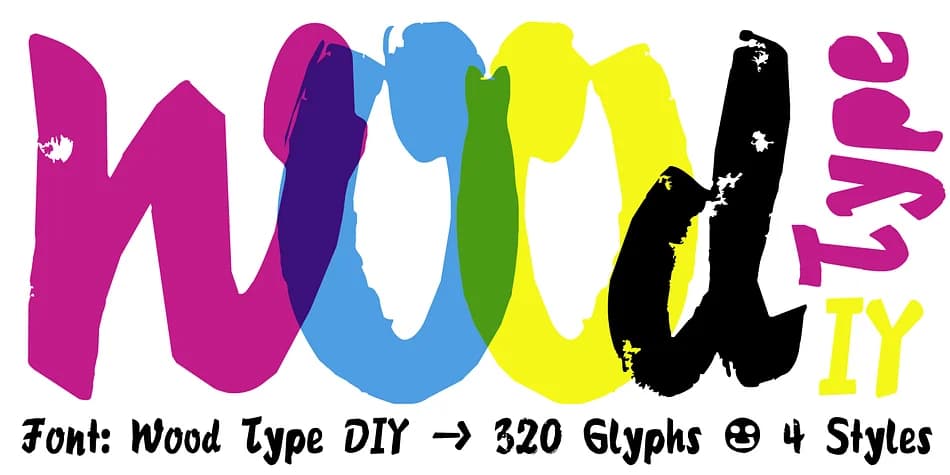
Imagine a vintage record label from the 1970s with chunky letterforms that feel carved and tactile. That aesthetic is the heart of Wood Type DIY, a display font created by Manuel Viergutz at Typo Graphic Design between 2016 and 2022. The project began with actual wooden letters from flea markets, which Viergutz digitized and expanded into a comprehensive system of 300+ glyphs.
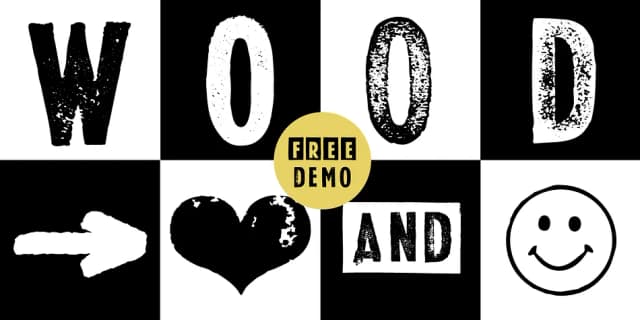
The font offers four distinct styles (Rough, Clean, Mix, and Impact), each applying a different texture to the same letterforms. You can pick the one that matches your mood without hunting through separate typefaces. Designers reach for it on craft brewery labels, vintage poster campaigns, indie bookstore signage, and rustic wedding stationery where handmade character is essential. The 320-glyph set includes decorative extras like icons, arrows, symbols, and geometric shapes, accessible as OpenType features. Type "#LOVE" to get a heart; "#SMILE" brings a smiley face. Nine stylistic alternates prevent recurring letters from feeling stale.
The typeface shines at large display sizes, where the texture becomes an advantage rather than a distraction. Pick it up on Creative Fabrica and test the free demo before committing to the full version.
Style & Use Cases
- Overall Style
- Eye-catching, Bold
- Use Case
- Headlines, Logos
- Ideal For
- posters, branding, and social media graphics
- Pairs With
- a readable sans or serif for body
How to Install Wood Type DIY Font
Step-by-step instructions for every platform
- 1Download the Wood Type DIY font file (.ttf or .otf).
- 2Locate the downloaded file in your Downloads folder.
- 3Right-click the font file.
- 4Select "Install" to install for the current user, or "Install for all users" to make it available system-wide.
- 5Wood Type DIY is now available in Word, Photoshop, Illustrator, and all other apps.
More by Typo Graphic Design
View all →
Browse fonts by theme
Curated collections →Saw a font in a picture? Identify any font from an image with our free Font Finder.
More Display Fonts
Browse all →







What pairs well with Wood Type DIY Font?
Wood Type DIY Font is a display font that shines as a display or heading face. Pair it with a clean sans-serif or serif font for body text — the contrast creates a clear hierarchy while the two styles stay balanced and easy to read.



Wood Type DIY Font
Reviewed by the FontBoxDL team · Updated July 2026