 Firefox
 1 / 2
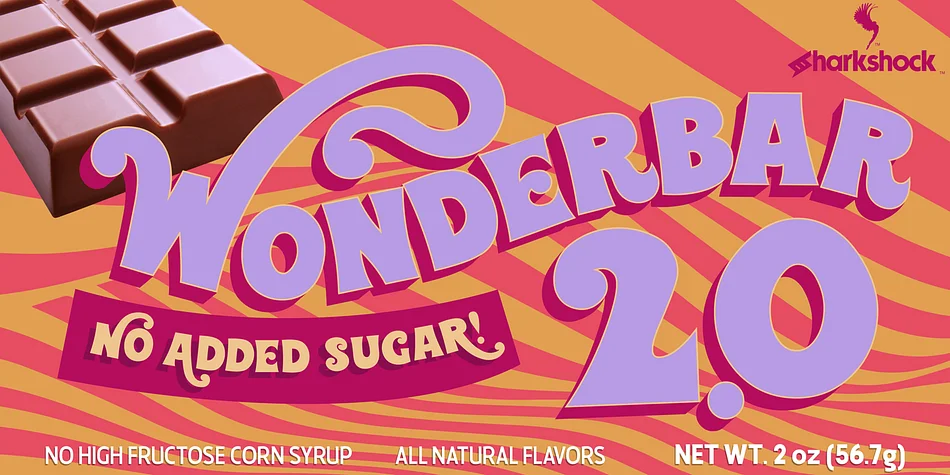
1 / 2About Wonderbar 2.0 Font
Wonderbar 2.0 by Sharkshock is a retro decorative typeface that's been refined for a new generation. The original is back, but nearly every character received a complete overhaul. Cleaner geometry defines the redesign throughout, with straighter lines and smoother curves replacing the more undulating character structure of the first version. The result feels less frantic and more controlled while keeping that playful vintage charm intact. Tighter spacing further refines the overall feel, making it more sophisticated without sacrificing the personality that made the original special.
This typeface works beautifully for children's book illustrations, birthday party posters, playroom wall signage, and greeting card designs. The character set is genuinely comprehensive: it covers basic and extended Latin with full diacritical marks to support multiple languages, includes Cyrillic for broader international use, and also provides punctuation marks, design alternates, and proper kerning pairs already configured. Everything is set up to work smoothly right out of the box, so you can start designing immediately without adjusting metrics or spacing by hand. If you create content for kids regularly or want a playful typeface with genuine retro flair, Wonderbar 2.0 deserves a spot in your library. Grab it from Creative Fabrica and bring some vintage character to your next design project.
Style & Use Cases
- Overall Style
- Bold, Distinctive
- Use Case
- Headlines, Posters
- Ideal For
- logos, packaging, and standout titles
- Pairs With
- a neutral sans-serif
How to Install Wonderbar 2.0 Font
Step-by-step instructions for every platform
- 1Download the Wonderbar 2.0 font file (.ttf or .otf).
- 2Locate the downloaded file in your Downloads folder.
- 3Right-click the font file.
- 4Select "Install" to install for the current user, or "Install for all users" to make it available system-wide.
- 5Wonderbar 2.0 is now available in Word, Photoshop, Illustrator, and all other apps.
More by Sharkshock
View all →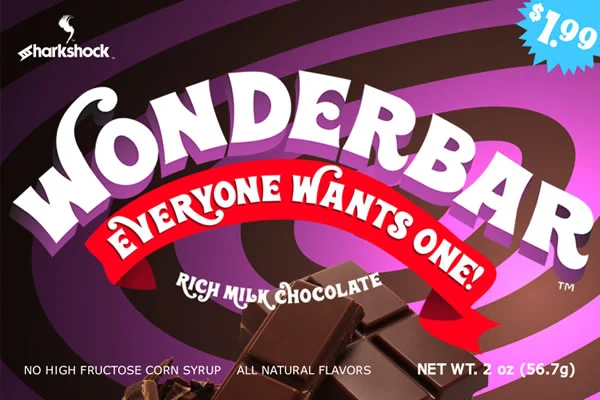

Browse fonts by theme
Curated collections →Saw a font in a picture? Identify any font from an image with our free Font Finder.
More Decorative Fonts
Browse all →







What pairs well with Wonderbar 2.0 Font?
Wonderbar 2.0 Font is a decorative font that shines as a display or heading face. Pair it with a clean sans-serif or serif font for body text — the contrast creates a clear hierarchy while the two styles stay balanced and easy to read.




Wonderbar 2.0 Font
by Sharkshock
Reviewed by the FontBoxDL team · Updated June 2026