 Firefox
 1 / 5
1 / 5About Anti Atom Font
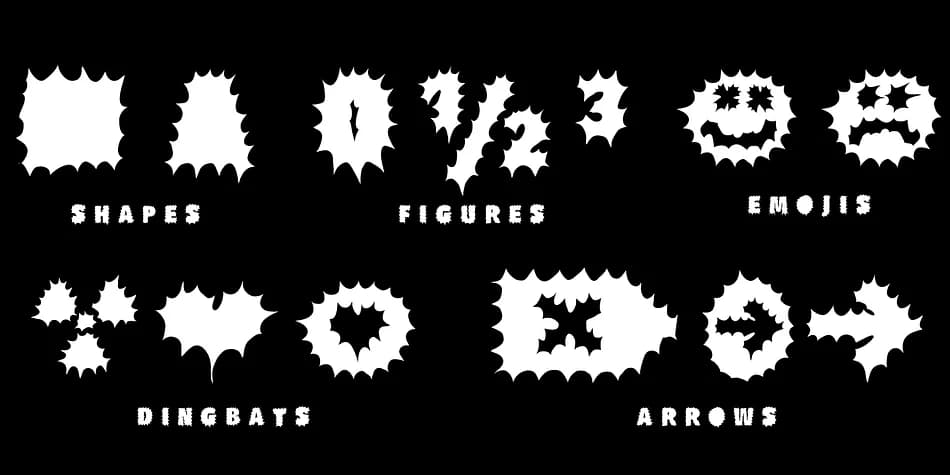
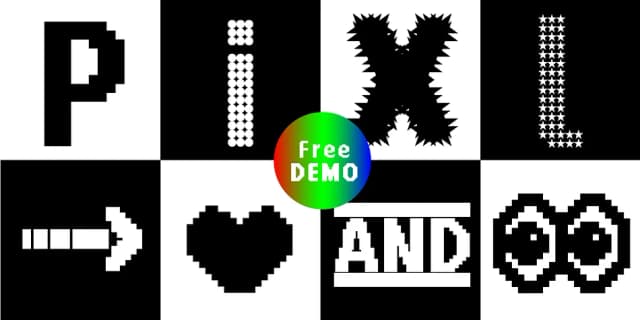
Anti Atom steps away from standard letterforms, presenting bold geometric shapes that manage to feel both industrial and playful at once. Designed by Manuel Viergutz for Typo Graphic Design in 2021, this display font carries genuine attitude, created specifically for designers who need type that actually makes a statement.
The typeface comes in four distinct styles (Sun, Cap, Mirror, and Outline), expanding its range across magazine headers, alternative music posters, bold book covers, and editorial design spreads. You're working with 375 glyphs total, including more than 100 decorative elements such as icons, arrows, geometric shapes, and symbols integrated through OpenType features. Three stylistic sets provide room to experiment and adjust the look across your project. Beyond the essentials, the feature set includes special emoji and symbol triggers that load when you type specific keywords, opening decorative possibilities in brand identity work and environmental graphics.
Display sizes showcase where this typeface truly shines, with the geometric character hitting hardest at headline scale. Consider it for logos, event posters, gallery signage, and bold branding applications. The full version lives on Creative Fabrica, and a free demo with reduced glyphs is available if you want to explore the typeface styles before committing.
Style & Use Cases
- Overall Style
- Eye-catching, Bold
- Use Case
- Headlines, Logos
- Ideal For
- posters, branding, and social media graphics
- Pairs With
- a readable sans or serif for body
How to Install Anti Atom Font Font
Step-by-step instructions for every platform
- 1Download the Anti Atom Font font file (.ttf or .otf).
- 2Locate the downloaded file in your Downloads folder.
- 3Right-click the font file.
- 4Select "Install" to install for the current user, or "Install for all users" to make it available system-wide.
- 5Anti Atom Font is now available in Word, Photoshop, Illustrator, and all other apps.
More by Typo Graphic Design
View all →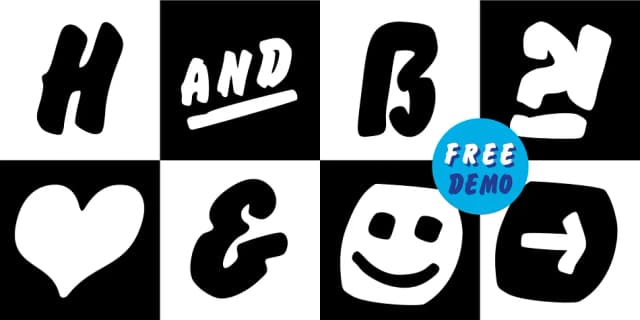
Browse fonts by theme
Curated collections →Saw a font in a picture? Identify any font from an image with our free Font Finder.
More Display Fonts
Browse all →







What pairs well with Anti Atom Font?
Anti Atom Font is a display font that shines as a display or heading face. Pair it with a clean sans-serif or serif font for body text — the contrast creates a clear hierarchy while the two styles stay balanced and easy to read.



Anti Atom Font
Reviewed by the FontBoxDL team · Updated September 2026