 Firefox
 1 / 10
About Zombie Punks Font
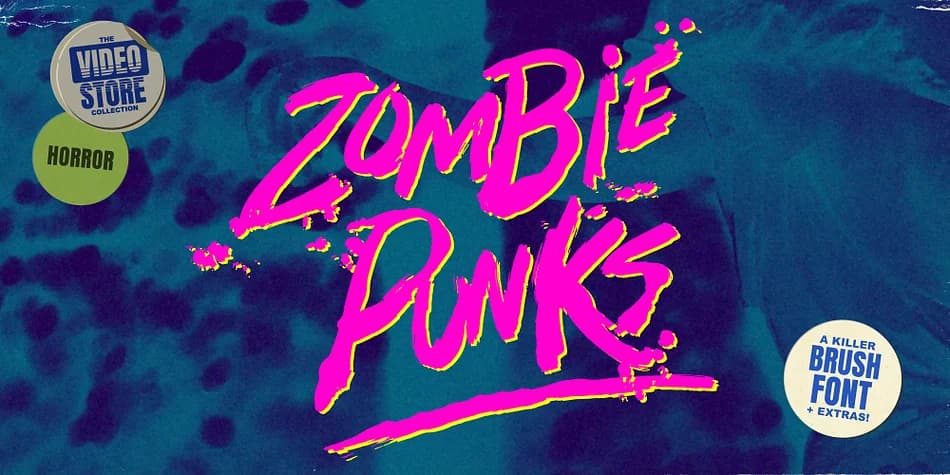
Grimy, visceral, and absolutely dripping with 80s nostalgia. Zombie Punks, designed by Wingsart Studio, channels that chaotic visual energy of worn VHS sleeves and grindhouse theater marquees through its grungy letterforms, deliberate paint spills, and unapologetic 1980s horror aesthetic.
The hand-drawn and tactile aesthetic delivers serious visual impact on horror movie posters, vinyl album covers, grindhouse-style tribute designs, concert flyers, and vintage video game cover art. You'll immediately notice how the irregular strokes and weathered character forms look like they've been torn straight from a 1980s video rental store shelf, with all the tactile personality that implies. It ships with comprehensive character support across multiple languages, numerals, punctuation marks, and an alternative glyph set to boot. This depth of variation lets you shift between different letterforms throughout a single design without ever repeating a character, achieving that convincing homemade-in-the-basement aesthetic.
Pair this striking display font with a clean, straightforward sans-serif typeface like Inter or perhaps Helvetica Neue for your body text and supporting project details to maintain readability. The contrast lets Zombie Punks dominate the visual hierarchy and carry the weight of your design. Grab a copy from Creative Fabrica and bring authentic 80s horror energy into your next project.
Style & Use Cases
- Overall Style
- Eye-catching, Bold
- Use Case
- Headlines, Logos
- Ideal For
- posters, branding, and social media graphics
- Pairs With
- a readable sans or serif for body
How to Install Zombie Punks Font
Step-by-step instructions for every platform
- 1Download the Zombie Punks font file (.ttf or .otf).
- 2Locate the downloaded file in your Downloads folder.
- 3Right-click the font file.
- 4Select "Install" to install for the current user, or "Install for all users" to make it available system-wide.
- 5Zombie Punks is now available in Word, Photoshop, Illustrator, and all other apps.
More by Wingsart Studio
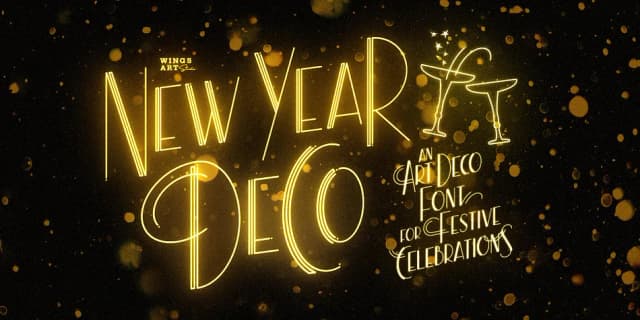
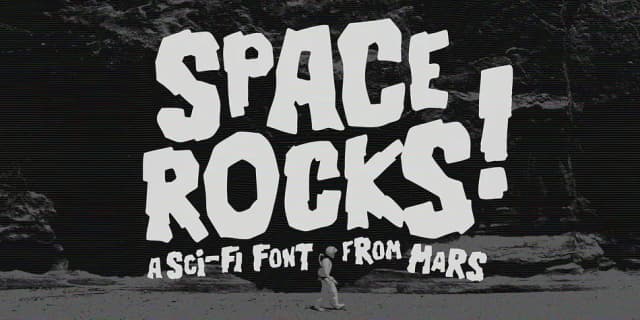
View all →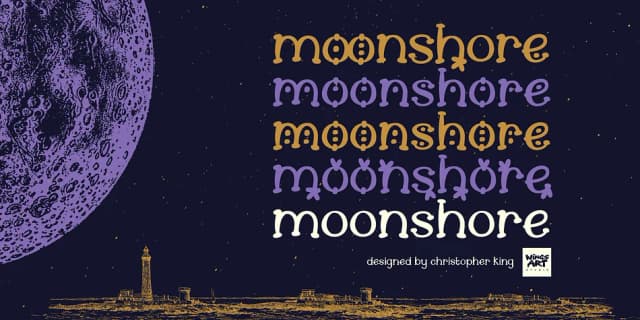

Browse fonts by theme
Curated collections →Saw a font in a picture? Identify any font from an image with our free Font Finder.
More Display Fonts
Browse all →







What pairs well with Zombie Punks Font?
Zombie Punks Font is a display font that shines as a display or heading face. Pair it with a clean sans-serif or serif font for body text — the contrast creates a clear hierarchy while the two styles stay balanced and easy to read.



Zombie Punks Font
Reviewed by the FontBoxDL team · Updated June 2026