
 1 / 10
About Moonshore Font
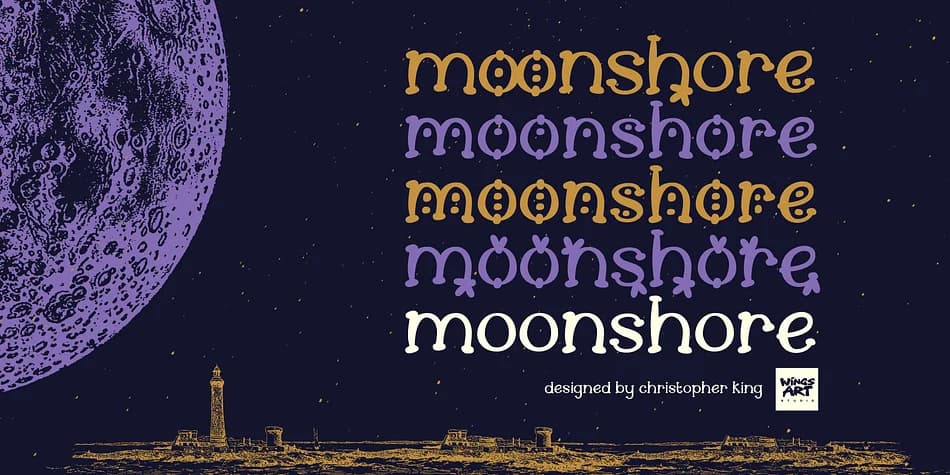
Moonshore carries the weight of ancient folklore in every letter. Designed by Wingsart Studio, this decorative typeface channels the atmosphere of classic English mysticism, where nature and the supernatural blur together in shadowy forests and forgotten places. The letterforms feel almost handwritten, sketched by someone steeped in occult symbolism, with enough elegance to feel intentional rather than careless or rushed.
What sets Moonshore apart is its versatility across eight complete styles, including decorative variants (the designer calls them "seeds" and a "flower") alongside all-caps alternatives. You get a full character set: uppercase, lowercase, numerals, punctuation, and international language support across OTF, TTF, and WOFF formats. This layering system means you can build visual depth within a single project without hunting for supplementary fonts or compromising cohesion.
The typeface really shines on spooky storybook cover designs, gothic product branding for boutique candle and tea shops, Halloween merchandise labels, and dark fantasy novel title pages. Come autumn and winter, it's equally strong for cozy fireside story layouts, tarot card designs, and vintage apothecary jar labeling. This is a font for creatives who want their work to feel rooted in something older and stranger than the everyday design world. Find Moonshore on Creative Fabrica and add it to your growing decorative collection.
Style & Use Cases
- Overall Style
- Bold, Distinctive
- Use Case
- Headlines, Posters
- Ideal For
- logos, packaging, and standout titles
- Pairs With
- a neutral sans-serif
How to Install Moonshore Font
Step-by-step instructions for every platform
- 1Download the Moonshore font file (.ttf or .otf).
- 2Locate the downloaded file in your Downloads folder.
- 3Right-click the font file.
- 4Select "Install" to install for the current user, or "Install for all users" to make it available system-wide.
- 5Moonshore is now available in Word, Photoshop, Illustrator, and all other apps.
More by Wingsart Studio
View all →


More Decorative Fonts
Browse all →







What pairs well with Moonshore Font?
Moonshore Font is a decorative font that shines as a display or heading face. Pair it with a clean sans-serif or serif font for body text — the contrast creates a clear hierarchy while the two styles stay balanced and easy to read.



Moonshore Font
Reviewed by the FontBoxDL team · Updated June 2026