 Firefox
 1 / 9
1 / 9About ZAGORA Font
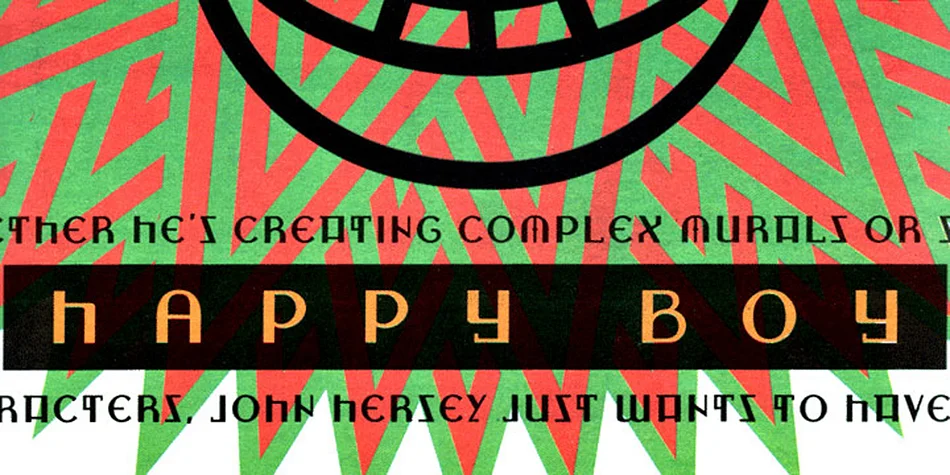
Picture yourself designing a vintage travel poster or the cover of a 1930s-inspired cocktail menu. ZAGORA, designed by CastleType, carries that same art deco swagger, with geometric letterforms that command attention on any layout. The typeface draws its name from a small Moroccan town near the Sahara. There's something in these letters about adventure and wanderlust, the kind of feeling you'd get from a weathered travel decal.
This display font excels in luxury brand identity systems, particularly those trading on retro or heritage aesthetics. Wedding invitation suites gain real impact from its bold, sophisticated presence. It feels equally at home on boutique cosmetics packaging, vintage-style record covers, or hand-lettered signage for independent restaurants and galleries. You could use it for Etsy shop banners, art exhibition posters, or the cover of a self-published artist's portfolio. The letterforms have enough character to work as standalone statements, but they pair beautifully with simpler sans-serifs for supporting text. Its geometric construction keeps it legible even at large display sizes, though it truly shines when given breathing room in headlines and focal points.
Grab ZAGORA on Creative Fabrica and bring that deco elegance to your next project.
Style & Use Cases
- Overall Style
- Eye-catching, Bold
- Use Case
- Headlines, Logos
- Ideal For
- posters, branding, and social media graphics
- Pairs With
- a readable sans or serif for body
How to Install ZAGORA Font
Step-by-step instructions for every platform
- 1Download the ZAGORA font file (.ttf or .otf).
- 2Locate the downloaded file in your Downloads folder.
- 3Right-click the font file.
- 4Select "Install" to install for the current user, or "Install for all users" to make it available system-wide.
- 5ZAGORA is now available in Word, Photoshop, Illustrator, and all other apps.
More by CastleType
View all →
Browse fonts by theme
Curated collections →Saw a font in a picture? Identify any font from an image with our free Font Finder.
More Display Fonts
Browse all →







What pairs well with ZAGORA Font?
ZAGORA Font is a display font that shines as a display or heading face. Pair it with a clean sans-serif or serif font for body text — the contrast creates a clear hierarchy while the two styles stay balanced and easy to read.




ZAGORA Font
by CastleType
Reviewed by the FontBoxDL team · Updated September 2026