 Firefox
 1 / 2
1 / 2About WOODBRANCH Font
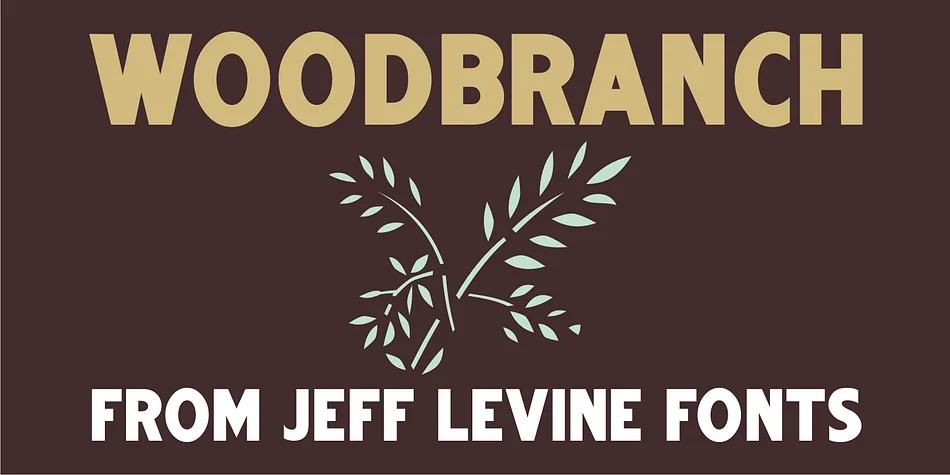
Picture a weathered sign hanging above a country shop's entrance, its letters carved with bold, chunky strokes exactly like hand-cut wood type from a vintage letterpress studio. That's the character WOODBRANCH brings to your designs. Created by Jeff Levine Fonts, this display typeface channels vintage letterpress wood type aesthetics. It's a solid, punchy interpretation of his earlier Woodlawn JNL, engineered with the dense weight and visual impact that makes headlines impossible to ignore. Where the original had an open outline style, this version fills those letterforms with substantial presence.
The font excels for rustic cabin signage, vintage whiskey and beer labels, and craft shop branding where you need that handmade texture. It works equally well on event posters for farmers markets and antique fairs, or as the lead type in DIY wooden sign projects and farmhouse decor. What sets WOODBRANCH apart is how it preserves the slightly irregular, weathered quality of actual wood type instead of smoothing things out. Those subtle letter variations feel genuine rather than sterile, giving your work real personality instead of mass-produced polish. The bold weight reads powerfully at large sizes, making it reliable for storefront signage, print campaigns, and packaging alike.
Get WOODBRANCH from Creative Fabrica and bring that wood-type character to your designs.
Style & Use Cases
- Overall Style
- Eye-catching, Bold
- Use Case
- Headlines, Logos
- Ideal For
- posters, branding, and social media graphics
- Pairs With
- a readable sans or serif for body
How to Install WOODBRANCH Font
Step-by-step instructions for every platform
- 1Download the WOODBRANCH font file (.ttf or .otf).
- 2Locate the downloaded file in your Downloads folder.
- 3Right-click the font file.
- 4Select "Install" to install for the current user, or "Install for all users" to make it available system-wide.
- 5WOODBRANCH is now available in Word, Photoshop, Illustrator, and all other apps.
More by Jeff Levine Fonts
View all →



Browse fonts by theme
Curated collections →Saw a font in a picture? Identify any font from an image with our free Font Finder.
More Display Fonts
Browse all →







What pairs well with WOODBRANCH Font?
WOODBRANCH Font is a display font that shines as a display or heading face. Pair it with a clean sans-serif or serif font for body text — the contrast creates a clear hierarchy while the two styles stay balanced and easy to read.




WOODBRANCH Font
Reviewed by the FontBoxDL team · Updated October 2026