 Firefox
 1 / 5
1 / 5About Winter Leaf Font
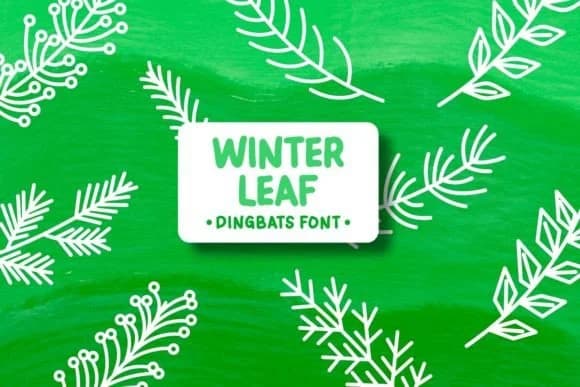
Winter Leaf by Pian45 is a playful dingbats font that draws its visual character from charming leaf shapes and winter-themed illustrations. This collection of decorative symbols brings genuine handcrafted quality to your design work without requiring you to hand-draw each element yourself. The glyphs feel organic and sketch-like, capturing that warm, personal quality that sets thoughtful design apart from template-based work. Their irregular edges and varying line weights give each icon substance and presence at any scale, from thumbnail sizes to large display use.
You'll find practical applications across children's book illustration spreads, seasonal sticker sheet designs for holiday promotions, ornamental accents in custom greeting cards, and background pattern layers that add visual texture and movement. The collection scales equally well for detailed gift tag designs and larger poster compositions. Since these are pure dingbats, your creative choices center on placement and layering rather than typographic controls. That flexibility makes the font remarkably versatile, allowing a single download to serve across multiple project types and mediums without feeling repetitive or forced.
Winter Leaf brings genuine warmth to both print and digital applications. Head to Creative Fabrica to grab this collection and layer these playful details into your next seasonal design project.
Style & Use Cases
- Overall Style
- Iconographic, Dingbats Fonts
- Use Case
- Icons, Accents
- Ideal For
- ornaments, bullets, and decorative flourishes
- Pairs With
- any text font
How to Install Winter Leaf Font
Step-by-step instructions for every platform
- 1Download the Winter Leaf font file (.ttf or .otf).
- 2Locate the downloaded file in your Downloads folder.
- 3Right-click the font file.
- 4Select "Install" to install for the current user, or "Install for all users" to make it available system-wide.
- 5Winter Leaf is now available in Word, Photoshop, Illustrator, and all other apps.
Browse fonts by theme
Curated collections →Saw a font in a picture? Identify any font from an image with our free Font Finder.
More Dingbats Fonts
Browse all →







What pairs well with Winter Leaf Font?
Winter Leaf Font is a versatile dingbats font that works for both headings and body text. Pair it with a contrasting sans-serif or serif font to add visual interest and a clear distinction between titles and body copy.



Winter Leaf Font
by Pian45
Reviewed by the FontBoxDL team · Updated July 2026