 Firefox
 1 / 8
1 / 8About Scary Ghost Font
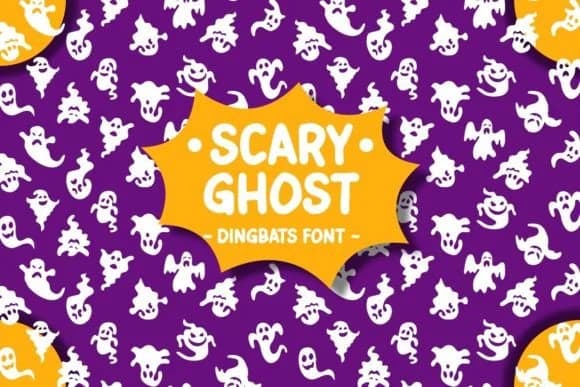
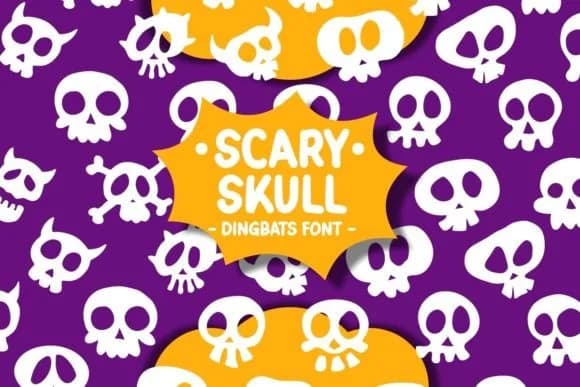
You're assembling a sheet of Halloween stickers for your Etsy shop when you realize your ghost designs need a dedicated symbol library. Scary Ghost, a dingbats font from Pian45, gives you exactly that: a collection of hand-drawn ghostly characters, from playful spectres to cute jack-o-lantern faces and trick-or-treat motifs. Each character is a small illustration you can resize and layer, making it ideal for sticker sheets, Halloween party invitations, or DIY costume tag designs.
This font shines when you're working on craft projects that benefit from repeatable decorative elements. Halloween scrapbooking layouts, greeting card embellishments, and seasonal packaging labels all come alive when you swap in these quirky symbols instead of relying on clip art. The hand-drawn quality gives everything a homemade charm without looking amateur. You get the full range of dingbat characters in one download, so you can build entire compositions just by typing, layering, and rotating as needed.
Since Scary Ghost lives in the dingbats category, think of it as a typographic pattern library rather than a traditional typeface. It works especially well for anyone creating Halloween-themed visual projects in design software, craft cutting software, or print templates. Grab it on Creative Fabrica and watch your Halloween projects gain instant personality.
Style & Use Cases
- Overall Style
- Iconographic, Scary Fonts
- Use Case
- Icons, Accents
- Ideal For
- ornaments, bullets, and decorative flourishes
- Pairs With
- any text font
How to Install Scary Ghost Font
Step-by-step instructions for every platform
- 1Download the Scary Ghost font file (.ttf or .otf).
- 2Locate the downloaded file in your Downloads folder.
- 3Right-click the font file.
- 4Select "Install" to install for the current user, or "Install for all users" to make it available system-wide.
- 5Scary Ghost is now available in Word, Photoshop, Illustrator, and all other apps.
Browse fonts by theme
Curated collections →Saw a font in a picture? Identify any font from an image with our free Font Finder.
More Dingbats Fonts
Browse all →







What pairs well with Scary Ghost Font?
Scary Ghost Font is a versatile dingbats font that works for both headings and body text. Pair it with a contrasting sans-serif or serif font to add visual interest and a clear distinction between titles and body copy.



Scary Ghost Font
by Pian45
Reviewed by the FontBoxDL team · Updated July 2026