 Firefox
 1 / 8
1 / 8About Cute Border Doodle Font
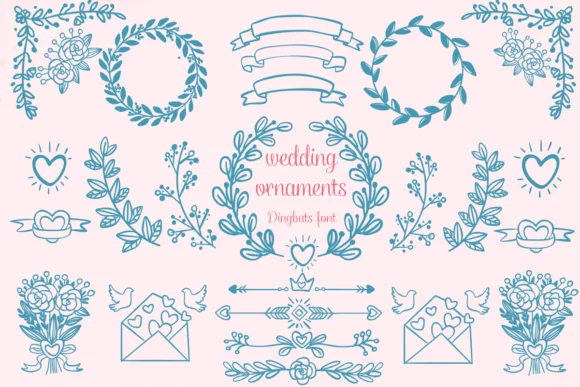
Cute Border Doodle by Nongyao is a hand-drawn dingbat collection that transforms basic borders into decorative, layerable design elements. Rather than hunting for static border graphics, designers can access an entire library of frames and dividers as font characters. You have direct control over size, color, and positioning within your design software, which means you can integrate these borders directly into layouts at any scale and in any colorway that suits your project.
The collection finds its rhythm across several practical design workflows. Scrapbookers build page layouts and photo spreads with instant access to decorative frames that feel handmade rather than generic. Bullet journal creators divide planning spreads and monthly themes with borders that match their hand-drawn aesthetic. DIY sticker sheets, custom greeting cards, and hand-lettered packaging labels all benefit from authentic hand-drawn accents. The font comes in OTF and TTF formats and works with Procreate and Affinity Designer, so designers can pull from the same library whether working on a desktop or tablet.
This is exactly the kind of font that sits quietly in your collection until you need it, then suddenly becomes indispensable for adding polish and personality to your work. Pick up Cute Border Doodle from Creative Fabrica and keep a dependable shortcut to hand-drawn framing at your fingertips.
Style & Use Cases
- Overall Style
- Iconographic, Diy
- Use Case
- Icons, Accents
- Ideal For
- ornaments, bullets, and decorative flourishes
- Pairs With
- any text font
How to Install Cute Border Doodle Font
Step-by-step instructions for every platform
- 1Download the Cute Border Doodle font file (.ttf or .otf).
- 2Locate the downloaded file in your Downloads folder.
- 3Right-click the font file.
- 4Select "Install" to install for the current user, or "Install for all users" to make it available system-wide.
- 5Cute Border Doodle is now available in Word, Photoshop, Illustrator, and all other apps.



Browse fonts by theme
Curated collections →Saw a font in a picture? Identify any font from an image with our free Font Finder.
More Dingbats Fonts
Browse all →







What pairs well with Cute Border Doodle Font?
Cute Border Doodle Font is a versatile dingbats font that works for both headings and body text. Pair it with a contrasting sans-serif or serif font to add visual interest and a clear distinction between titles and body copy.




Cute Border Doodle Font
by Nongyao
Reviewed by the FontBoxDL team · Updated June 2026