 Firefox
 1 / 8
1 / 8About Planner Magic Font
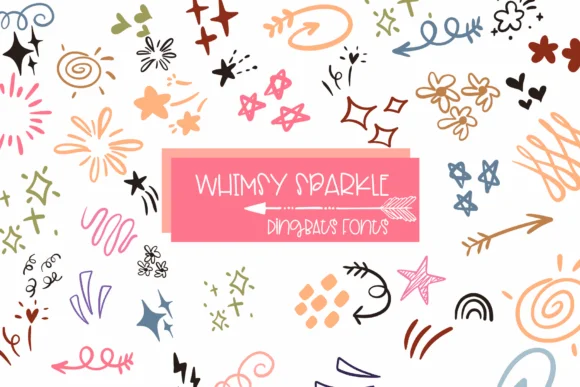
A playful, hand-drawn dingbat font that brings immediate warmth to any page. Planner Magic, created by Sirinart, is a collection of charming line-drawn icons including arrows, hearts, flowers, sparkles, and flowing decorative lines that feel natural and genuinely handcrafted rather than digital.
The simple linework makes these dingbats shine in monthly planner spreads, hand-lettered bullet journal layouts, scrapbook page embellishments, and DIY wedding invitation suites. Each icon was designed with enough personality to stand on its own, yet restrained enough not to overpower your other design elements. These doodles work beautifully for personalized mug designs, print-on-demand sticker sheets, custom stationery, and social media graphics where you need that hand-drawn touch. Because this is a dingbats font, any character key pulls up a different icon, so you're accessing dozens of variations from a single typeface. It's the kind of font that makes quick projects feel thoughtful without requiring much effort on your end.
Pair Planner Magic with a clean, understated sans-serif like Open Sans or Lato when you need body text on packaging or greeting cards. The contrast between the hand-drawn icons and the neutral typeface lets both work together without visual competition. Grab it on Creative Fabrica to start building designs with genuine character and warmth.
Style & Use Cases
- Overall Style
- Iconographic, Planner Dingbats Font
- Use Case
- Icons, Accents
- Ideal For
- ornaments, bullets, and decorative flourishes
- Pairs With
- any text font
How to Install Planner Magic Font
Step-by-step instructions for every platform
- 1Download the Planner Magic font file (.ttf or .otf).
- 2Locate the downloaded file in your Downloads folder.
- 3Right-click the font file.
- 4Select "Install" to install for the current user, or "Install for all users" to make it available system-wide.
- 5Planner Magic is now available in Word, Photoshop, Illustrator, and all other apps.
More by Sirinart
View all →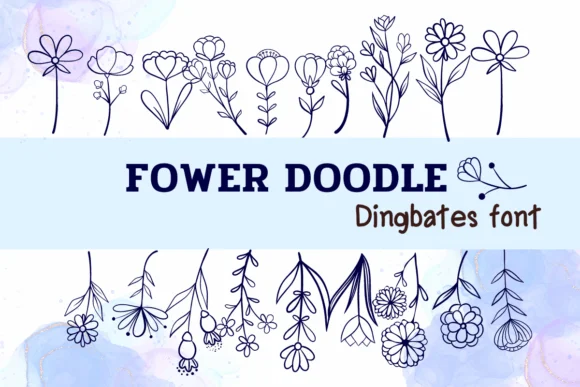


Browse fonts by theme
Curated collections →Saw a font in a picture? Identify any font from an image with our free Font Finder.
More Dingbats Fonts
Browse all →







What pairs well with Planner Magic Font?
Planner Magic Font is a versatile dingbats font that works for both headings and body text. Pair it with a contrasting sans-serif or serif font to add visual interest and a clear distinction between titles and body copy.




Planner Magic Font
by Sirinart
Reviewed by the FontBoxDL team · Updated June 2026