 Firefox
 1 / 5
1 / 5About WINKLE PICKER JNL Font
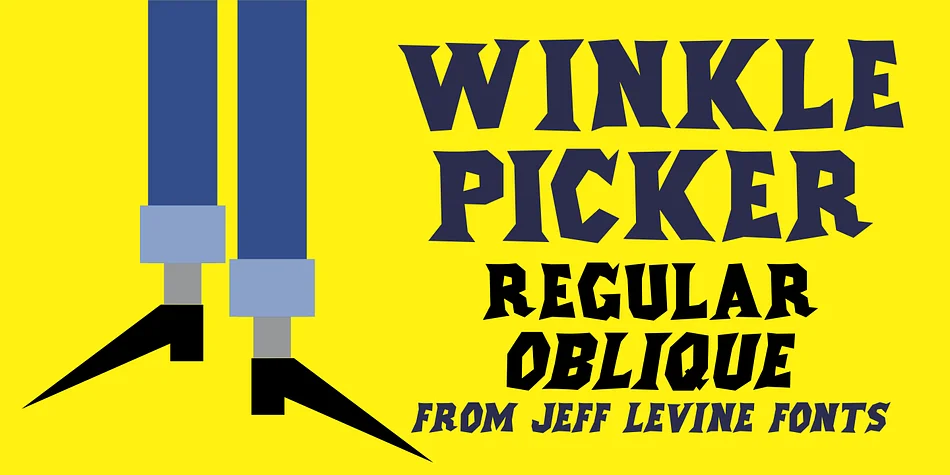
WINKLE PICKER JNL by Jeff Levine Fonts is a spur serif display face with genuine personality and playful energy drawn straight from mid-century graphic design culture. The design traces its roots to a 1963 Italian documentary poster titled "Sexy Nudo," where the title lettering featured a distinctively cut-paper quality that immediately caught Jeff Levine's eye and sparked the inspiration for this typeface. What makes this design so visually effective is how it captures that fun, irreverent spirit of the era without losing those sharp, characteristically pointed terminals that define its visual identity and give it such a distinctive edge in display applications.
The name itself is a clever callback to 1950s youth culture and shoe fashion, those pointed boots and shoes that became iconic style markers during that decade. On the practical side, WINKLE PICKER JNL ships in both regular and oblique versions. The upright rendering works cleanly for bold headlines, while the oblique adds a dynamic tilt that suggests motion and forward momentum. This typeface is particularly well-suited for retro concert posters, vintage vinyl record packaging, groovy invitation suites, and classic diner menu designs. Pick up WINKLE PICKER JNL on Creative Fabrica and add its mid-century charm to your typography collection.
Style & Use Cases
- Overall Style
- Eye-catching, Bold
- Use Case
- Headlines, Logos
- Ideal For
- posters, branding, and social media graphics
- Pairs With
- a readable sans or serif for body
How to Install WINKLE PICKER JNL Font
Step-by-step instructions for every platform
- 1Download the WINKLE PICKER JNL font file (.ttf or .otf).
- 2Locate the downloaded file in your Downloads folder.
- 3Right-click the font file.
- 4Select "Install" to install for the current user, or "Install for all users" to make it available system-wide.
- 5WINKLE PICKER JNL is now available in Word, Photoshop, Illustrator, and all other apps.
More by Jeff Levine Fonts
View all →



Browse fonts by theme
Curated collections →Saw a font in a picture? Identify any font from an image with our free Font Finder.
More Display Fonts
Browse all →







What pairs well with WINKLE PICKER JNL Font?
WINKLE PICKER JNL Font is a display font that shines as a display or heading face. Pair it with a clean sans-serif or serif font for body text — the contrast creates a clear hierarchy while the two styles stay balanced and easy to read.




WINKLE PICKER JNL Font
Reviewed by the FontBoxDL team · Updated September 2026