 Firefox
 1 / 5
1 / 5About WIDE CHAMFER JNL Font
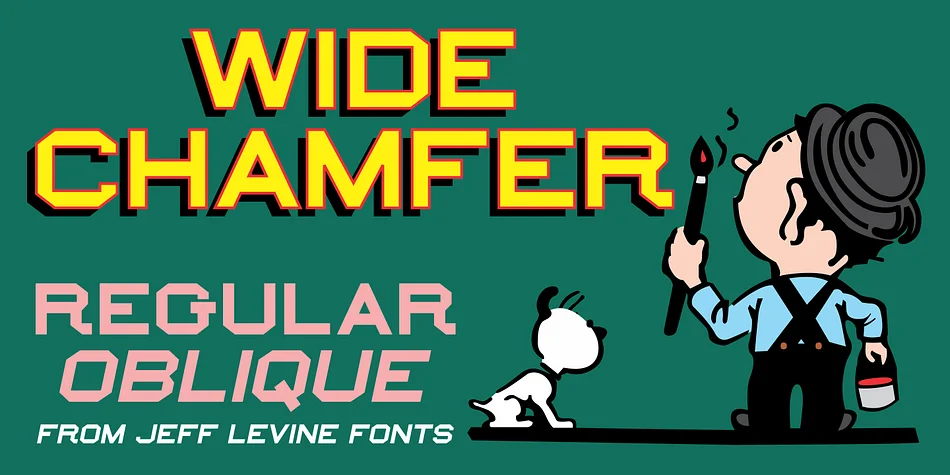
This typeface captures the geometric precision of hand-painted commercial lettering from an earlier era. Wide Chamfer JNL, designed by Jeff Levine Fonts, draws directly from a 1902 sign painter's reference manual, where these beveled-edge letterforms were documented as core tools of the trade. The wider proportions give it more breathing room than typical chamfered alphabets of that period, making each letter feel substantial and commanding rather than cramped or squeezed.
The chamfered edges create a distinctive, almost tactile quality that works surprisingly well across various design contexts. Craft brewery bottle labels gain instant credibility with these letterforms. Vintage storefront signage, hand-painted window marquee design, DIY wooden sign projects, and retro game box packaging all benefit from the beveled geometry. Hand-tooled branding especially shines with this treatment, where the lifted edges add real dimension. The font comes in regular and oblique versions, so you can tilt the angle when your composition needs visual emphasis.
Display fonts this strong need a steady, calm companion for any secondary text. Pair Wide Chamfer JNL with a clean geometric sans-serif to ensure body copy reads clearly without fighting for attention. You'll find it on Creative Fabrica, ready to bring that authentic 1900s commercial craftsmanship to your next project.
Style & Use Cases
- Overall Style
- Eye-catching, Bold
- Use Case
- Headlines, Logos
- Ideal For
- posters, branding, and social media graphics
- Pairs With
- a readable sans or serif for body
How to Install WIDE CHAMFER JNL Font
Step-by-step instructions for every platform
- 1Download the WIDE CHAMFER JNL font file (.ttf or .otf).
- 2Locate the downloaded file in your Downloads folder.
- 3Right-click the font file.
- 4Select "Install" to install for the current user, or "Install for all users" to make it available system-wide.
- 5WIDE CHAMFER JNL is now available in Word, Photoshop, Illustrator, and all other apps.
More by Jeff Levine Fonts
View all →



Browse fonts by theme
Curated collections →Saw a font in a picture? Identify any font from an image with our free Font Finder.
More Display Fonts
Browse all →







What pairs well with WIDE CHAMFER JNL Font?
WIDE CHAMFER JNL Font is a display font that shines as a display or heading face. Pair it with a clean sans-serif or serif font for body text — the contrast creates a clear hierarchy while the two styles stay balanced and easy to read.




WIDE CHAMFER JNL Font
Reviewed by the FontBoxDL team · Updated September 2026