 Firefox

 1 / 8
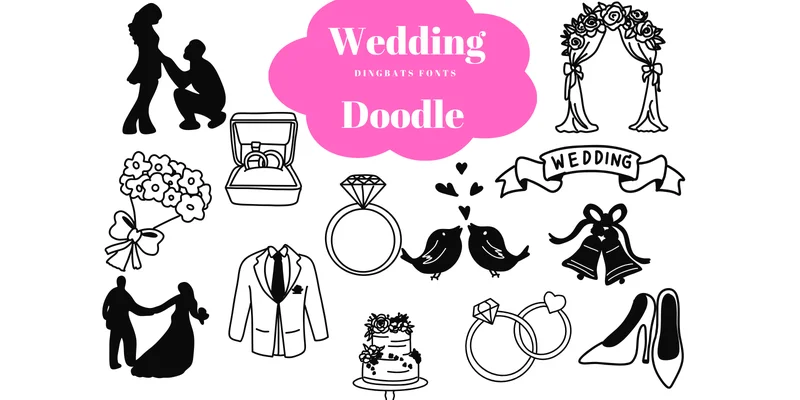
About Wedding Doodle Font
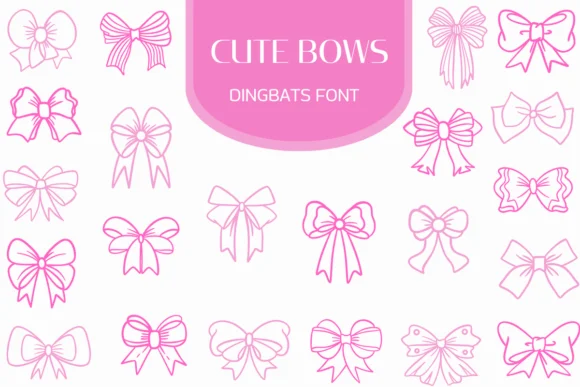
Wedding Doodle Font by Suphitchaya is a hand-drawn dingbats collection with charming sketch-style ornaments and icons that bring playful personality to printed work. The font supplies decorative elements, florals, ribbons, rings, celebration motifs, and whimsical icons ideal for crafting one-of-a-kind visual details. Each character carries a loose, organic feel that works across printed applications.
Use it to design wedding invitation suites with custom flourishes and borders, build DIY event programs and save-the-date cards, or add hand-drawn charm to boutique stationery labels and favor tags. Wedding planners and indie designers frequently combine this font with photography or watercolor backgrounds to create cohesive branded invitation sets. Designers working with limited budgets often reach for dingbats like this to layer personal touches into designs without hiring an illustrator. The outline versions work particularly well for coloring sheets, print-ready line art, or layered graphic applications where you need flexibility.
Available in both OTF and TTF formats with full support for Affinity Designer, Affinity Photo, and Procreate, this font fits naturally into modern design workflows. The dingbats scale cleanly from small accent marks on labels to oversized decorative headers. Get Wedding Doodle Font from Creative Fabrica and start building more distinctive stationery designs.
Style & Use Cases
- Overall Style
- Iconographic, Affinity Designer Font
- Use Case
- Icons, Accents
- Ideal For
- ornaments, bullets, and decorative flourishes
- Pairs With
- any text font
How to Install Wedding Doodle Font Font
Step-by-step instructions for every platform
- 1Download the Wedding Doodle Font font file (.ttf or .otf).
- 2Locate the downloaded file in your Downloads folder.
- 3Right-click the font file.
- 4Select "Install" to install for the current user, or "Install for all users" to make it available system-wide.
- 5Wedding Doodle Font is now available in Word, Photoshop, Illustrator, and all other apps.
More by Suphitchaya
View all →
Browse fonts by theme
Curated collections →Saw a font in a picture? Identify any font from an image with our free Font Finder.
More Dingbats Fonts
Browse all →
What pairs well with Wedding Doodle Font?
Wedding Doodle Font is a versatile dingbats font that works for both headings and body text. Pair it with a contrasting sans-serif or serif font to add visual interest and a clear distinction between titles and body copy.




Wedding Doodle Font
by Suphitchaya
Reviewed by the FontBoxDL team · Updated November 2026
One-time purchase