 Firefox

 1 / 6
Loading font…
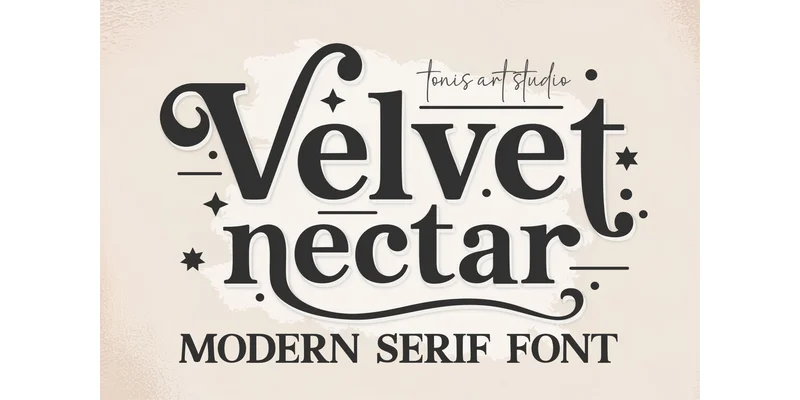
About Velvet Nectar Font
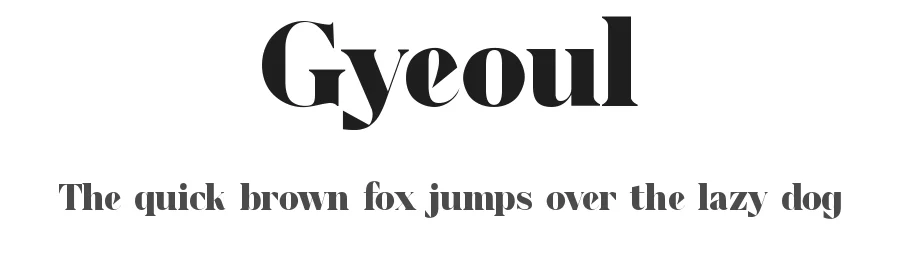
You're designing a luxury spa brand identity and need a typeface that feels both modern and refined. Velvet Nectar, created by TonisArtStudio, is a serif font that combines architectural boldness with soft, flowing letterforms and decorative flourishes. Its swashes and stylistic alternates give designers genuine control over how the font presents itself without sacrificing readability at any size. The typeface stands out across wedding invitation suites, high-end product packaging, and editorial magazine layouts where a confident serif conveys sophistication and intention. It includes ligatures and full language support, so international projects and global campaigns work without substitution concerns.
From boutique skincare packaging to fashion brand lookbooks and polished social media graphics, Velvet Nectar fills projects that need actual refinement rather than trendy surface decoration. The font maintains excellent clarity at both large headline sizes and smaller body text, thanks to its thoughtful balance of stroke weights and openness. Anyone working in Photoshop, Illustrator, Canva, or Cricut will find the font installs smoothly and renders consistently across formats, whether you're designing on screen or cutting custom materials for physical products. The specific stroke contrast and alternate letterforms give you real flexibility to dial the tone up or down across different applications and campaigns. Grab Velvet Nectar on Creative Fabrica for your next sophisticated project.
Style & Use Cases
- Overall Style
- Classic, Refined, Aesthetic Font
- Use Case
- Editorial, Print
- Ideal For
- book covers, long-form text, and traditional branding
- Pairs With
- a clean sans-serif for captions
OpenType Features
Velvet Nectar Font ships with 2 OpenType features you can switch on in apps that support them (Illustrator, InDesign, Affinity, Figma, CSS font-feature-settings).
- Discretionary ligatures
- Standard ligatures
How to Install Velvet Nectar Font Font
Step-by-step instructions for every platform
- 1Download the Velvet Nectar Font font file (.ttf or .otf).
- 2Locate the downloaded file in your Downloads folder.
- 3Right-click the font file.
- 4Select "Install" to install for the current user, or "Install for all users" to make it available system-wide.
- 5Velvet Nectar Font is now available in Word, Photoshop, Illustrator, and all other apps.
More by TonisArtStudio
View all →


Browse fonts by theme
Curated collections →Saw a font in a picture? Identify any font from an image with our free Font Finder.
More Serif Fonts
Browse all →



What pairs well with Velvet Nectar Font?
Velvet Nectar Font is a versatile serif font that works for both headings and body text. Pair it with a contrasting sans-serif or slab serif font to add visual interest and a clear distinction between titles and body copy.




Velvet Nectar Font
Reviewed by the FontBoxDL team · Updated November 2026
One-time purchase