 Firefox
 1 / 2
1 / 2About TROPICANO JNL Font
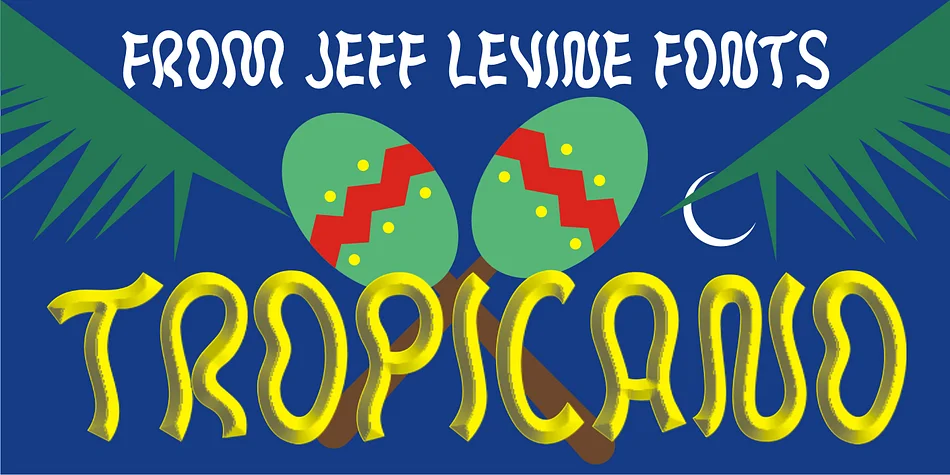
Letterforms that feel hand-drawn and slightly rebellious catch your eye immediately, and Tropicano JNL by Jeff Levine Fonts delivers exactly that kind of organic personality. The typeface traces its roots to the hand-lettered logo that once graced the Tropicana nightclub in pre-revolutionary Havana, capturing the playful spirit of 1950s Caribbean nightlife through wobbly baselines, uneven stroke weights, and characters that lean like they've had one too many mojitos.
The apparent crudeness dissolves the moment you study the design more closely. There's real craft buried under the casual irregularities, a calculated messiness that reads as charming rather than broken. This font excels at vintage bar signage, retro concert posters, tiki-themed event invitations, and kitschy merchandise packaging where authenticity matters more than precision. The letterforms also possess an underlying unease that makes them perfect for Halloween party collateral, spooky illustration series, genre-bending horror comedy branding, and novelty costume shop signage.
The typeface speaks to designers who crave genuine 1950s Americana character without the sterile symmetry of mass-market display fonts. It works best for projects that embrace a little personality, a little chaos, and a lot of vintage flavor. Find Tropicano JNL on Creative Fabrica when you're ready to add some beautifully imperfect charm to your work.
Style & Use Cases
- Overall Style
- Eye-catching, Bold
- Use Case
- Headlines, Logos
- Ideal For
- posters, branding, and social media graphics
- Pairs With
- a readable sans or serif for body
How to Install TROPICANO JNL Font
Step-by-step instructions for every platform
- 1Download the TROPICANO JNL font file (.ttf or .otf).
- 2Locate the downloaded file in your Downloads folder.
- 3Right-click the font file.
- 4Select "Install" to install for the current user, or "Install for all users" to make it available system-wide.
- 5TROPICANO JNL is now available in Word, Photoshop, Illustrator, and all other apps.
More by Jeff Levine Fonts
View all →



Browse fonts by theme
Curated collections →Saw a font in a picture? Identify any font from an image with our free Font Finder.
More Display Fonts
Browse all →







What pairs well with TROPICANO JNL Font?
TROPICANO JNL Font is a display font that shines as a display or heading face. Pair it with a clean sans-serif or serif font for body text — the contrast creates a clear hierarchy while the two styles stay balanced and easy to read.




TROPICANO JNL Font
Reviewed by the FontBoxDL team · Updated September 2026