 Firefox
About TOP FORTY JNL Font
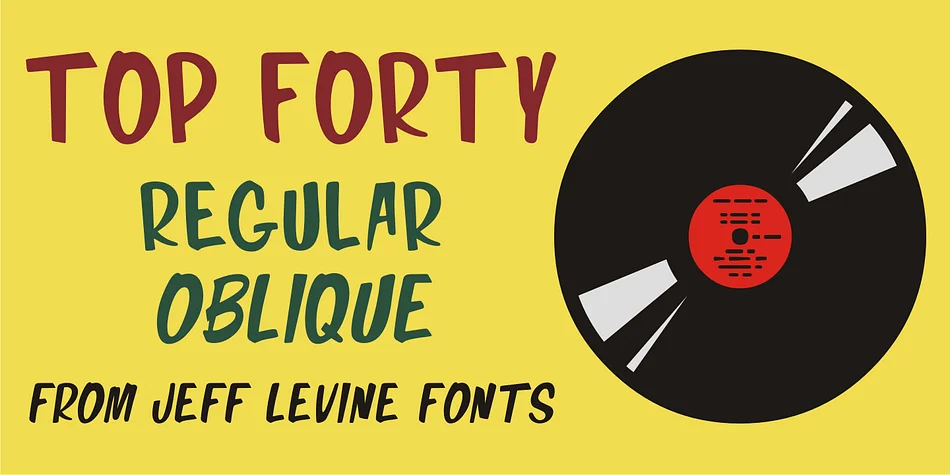
TOP FORTY JNL by Jeff Levine Fonts captures that looseness and swagger inherent to mid-century hand-lettering. The typeface draws its distinctive character from a 1963 Billboard Magazine advertisement featuring Jimmy Smith, where the original design was rendered in the free-form, one-stroke style typical of show-card lettering from that era. The letterforms feature organic curves and a relaxed bounce that gives everything you set in it an instant retro vibe, the kind of visual personality that genuinely stops viewers mid-scroll and makes them want to take a second look.
This display font comes in regular and oblique versions, offering flexibility in how much tilt and attitude you want to introduce to your work. It performs particularly well for vinyl record covers, retro music festival posters, vintage band merchandise packaging, and diner-style signage that needs genuine personality and nostalgia. Designers working on album artwork, concert announcements, or promotional materials rooted in 1960s aesthetics find this typeface does the heavy visual lifting. The informal letterforms and bouncy rhythm handle the retro storytelling naturally, letting your core message come through clearly without having to fight for attention against the typeface itself.
TOP FORTY JNL suits designers and brands looking to tap into authentic mid-century music and entertainment aesthetics without resorting to pastiche or kitsch. Find it on Creative Fabrica.
Style & Use Cases
- Overall Style
- Eye-catching, Bold
- Use Case
- Headlines, Logos
- Ideal For
- posters, branding, and social media graphics
- Pairs With
- a readable sans or serif for body
How to Install TOP FORTY JNL Font
Step-by-step instructions for every platform
- 1Download the TOP FORTY JNL font file (.ttf or .otf).
- 2Locate the downloaded file in your Downloads folder.
- 3Right-click the font file.
- 4Select "Install" to install for the current user, or "Install for all users" to make it available system-wide.
- 5TOP FORTY JNL is now available in Word, Photoshop, Illustrator, and all other apps.
More by Jeff Levine Fonts
View all →



Browse fonts by theme
Curated collections →Saw a font in a picture? Identify any font from an image with our free Font Finder.
More Display Fonts
Browse all →







What pairs well with TOP FORTY JNL Font?
TOP FORTY JNL Font is a display font that shines as a display or heading face. Pair it with a clean sans-serif or serif font for body text — the contrast creates a clear hierarchy while the two styles stay balanced and easy to read.




TOP FORTY JNL Font
Reviewed by the FontBoxDL team · Updated July 2026