 Firefox
About SUBSCRIPTION JNL Font
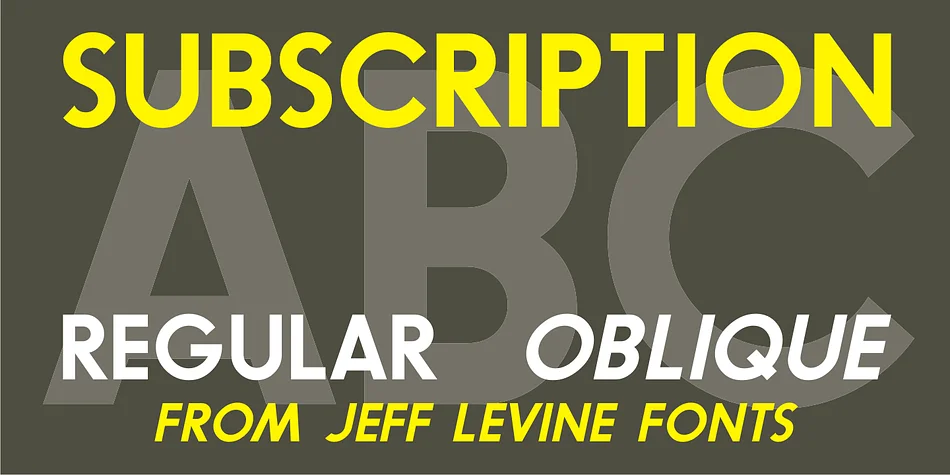
This font hits with clean, confident geometry that reads strong at any size. SUBSCRIPTION JNL by Jeff Levine Fonts delivers a solid display presence as the filled-in counterpart to Outline Sans JNL, giving you a typeface built on geometric clarity and uncompromising visual impact.
The font excels when you need weight and presence in your headlines. Build subscription box packaging labels that pop off the shelf, design magazine mastheads that command attention, create vinyl decal designs that hold crisp detail, or layout premium event poster headers with real stopping power. Its geometry sits somewhere between industrial and playful, so it feels at home in corporate branding systems and creative indie applications alike. The typeface comes in both regular and oblique weights, letting you introduce rhythm and emphasis without switching families. That flexibility means your headlines can tilt and lean while staying grounded in the same geometric logic.
For layouts where SUBSCRIPTION JNL carries your main message, pair it with a light, neutral sans-serif that gets out of the way for body copy. This keeps your visual hierarchy clear and lets the display font do what it does best. You'll find SUBSCRIPTION JNL on Creative Fabrica whenever you're ready to start using it.
Style & Use Cases
- Overall Style
- Eye-catching, Bold
- Use Case
- Headlines, Logos
- Ideal For
- posters, branding, and social media graphics
- Pairs With
- a readable sans or serif for body
How to Install SUBSCRIPTION JNL Font
Step-by-step instructions for every platform
- 1Download the SUBSCRIPTION JNL font file (.ttf or .otf).
- 2Locate the downloaded file in your Downloads folder.
- 3Right-click the font file.
- 4Select "Install" to install for the current user, or "Install for all users" to make it available system-wide.
- 5SUBSCRIPTION JNL is now available in Word, Photoshop, Illustrator, and all other apps.
More by Jeff Levine Fonts
View all →



Browse fonts by theme
Curated collections →Saw a font in a picture? Identify any font from an image with our free Font Finder.
More Display Fonts
Browse all →







What pairs well with SUBSCRIPTION JNL Font?
SUBSCRIPTION JNL Font is a display font that shines as a display or heading face. Pair it with a clean sans-serif or serif font for body text — the contrast creates a clear hierarchy while the two styles stay balanced and easy to read.




SUBSCRIPTION JNL Font
Reviewed by the FontBoxDL team · Updated October 2026