 Firefox
About STAPLE REMOVER JNL Font
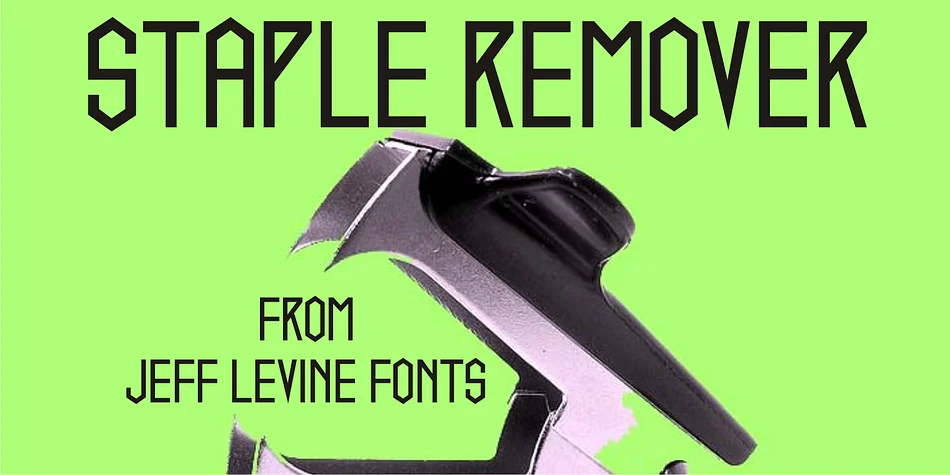
This typeface cuts with angular sharpness and a nostalgic edge that feels both strange and inviting. Staple Remover JNL, created by Jeff Levine, evolved directly from hand lettering found on a vintage Arrow staple remover package discovered through an online auction. That authentic artifact, a piece of Depression-era commercial design, became the foundation for this sharp, unconventional display font.
The 1930s and 1940s gave designers permission to experiment wildly with letterforms and proportions, and this typeface captures that experimental spirit beautifully. Its geometric angles and industrial character work wonderfully for vintage-inspired branding, art deco wedding invitation suites, retro packaging for artisan food or natural skincare lines, and period-accurate event signage. The font's distinctive geometry and unexpected letterforms grab attention immediately without needing extra embellishment. Every character feels purposeful and gloriously weird in the best possible way.
Combine Staple Remover JNL with a clean, minimal sans-serif (a neutral grotesque works perfectly) for supporting text and body copy. That contrast between audacious display type and restrained companion keeps the whole design readable and intentional, letting both elements do what they do best. Grab it from Creative Fabrica and let some genuine 1930s boldness shape your next project.
Style & Use Cases
- Overall Style
- Eye-catching, Bold
- Use Case
- Headlines, Logos
- Ideal For
- posters, branding, and social media graphics
- Pairs With
- a readable sans or serif for body
How to Install STAPLE REMOVER JNL Font
Step-by-step instructions for every platform
- 1Download the STAPLE REMOVER JNL font file (.ttf or .otf).
- 2Locate the downloaded file in your Downloads folder.
- 3Right-click the font file.
- 4Select "Install" to install for the current user, or "Install for all users" to make it available system-wide.
- 5STAPLE REMOVER JNL is now available in Word, Photoshop, Illustrator, and all other apps.
More by Jeff Levine Fonts
View all →



Browse fonts by theme
Curated collections →Saw a font in a picture? Identify any font from an image with our free Font Finder.
More Display Fonts
Browse all →







What pairs well with STAPLE REMOVER JNL Font?
STAPLE REMOVER JNL Font is a display font that shines as a display or heading face. Pair it with a clean sans-serif or serif font for body text — the contrast creates a clear hierarchy while the two styles stay balanced and easy to read.




STAPLE REMOVER JNL Font
Reviewed by the FontBoxDL team · Updated September 2026