 Firefox
 1 / 10
About Space Colony Font
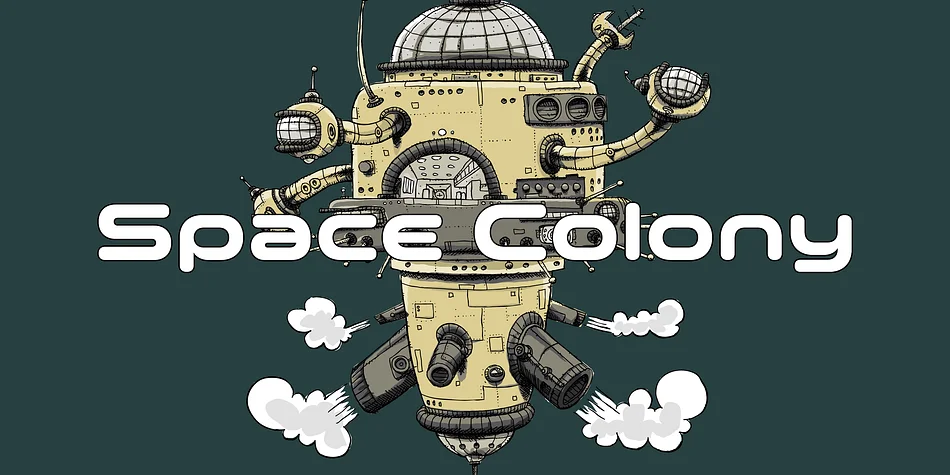
Picture a sequence in a retro anime series or an indie game's opening cutscene, and you'll understand exactly why Space Colony exists. Dharma Type designed this geometric display font by drawing from the visual language of classic robot animations and sci-fi futurism, then deliberately softening it with rounded letterforms that feel approachable and warm rather than sterile or cold.
The typeface proves itself across sci-fi movie titles, retro video game interfaces, animation character logos, and indie comic book covers. Its six weights let you dial in the right intensity for whatever application you're building, scaling from a punchy headline down to secondary text that carries the same retro-futuristic personality without shouting. The rounded terminals and generous proportions ensure it never reads as harsh or overly technical, which is a rare balance in geometric display fonts designed for this kind of nostalgic sci-fi work.
Crafting a futuristic brand identity that winks at the past, designing packaging for a character-driven product line, or building a game interface that needs instant visual personality all benefit from Space Colony's balanced approach. It takes itself seriously as a headline font while never losing its playful, approachable charm. Find the full family on Creative Fabrica and add that nostalgic spark to your next project.
Style & Use Cases
- Overall Style
- Eye-catching, Bold
- Use Case
- Headlines, Logos
- Ideal For
- posters, branding, and social media graphics
- Pairs With
- a readable sans or serif for body
How to Install Space Colony Font
Step-by-step instructions for every platform
- 1Download the Space Colony font file (.ttf or .otf).
- 2Locate the downloaded file in your Downloads folder.
- 3Right-click the font file.
- 4Select "Install" to install for the current user, or "Install for all users" to make it available system-wide.
- 5Space Colony is now available in Word, Photoshop, Illustrator, and all other apps.
More by Dharma Type
View all →

Browse fonts by theme
Curated collections →Saw a font in a picture? Identify any font from an image with our free Font Finder.
More Display Fonts
Browse all →







What pairs well with Space Colony Font?
Space Colony Font is a display font that shines as a display or heading face. Pair it with a clean sans-serif or serif font for body text — the contrast creates a clear hierarchy while the two styles stay balanced and easy to read.




Space Colony Font
by Dharma Type
Reviewed by the FontBoxDL team · Updated October 2026