 Firefox
 1 / 8
1 / 8About Scary Skull Font
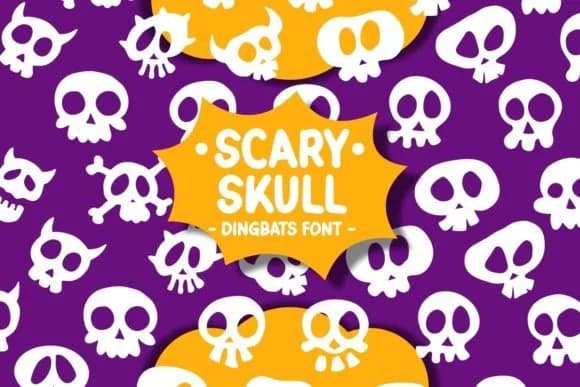
Scary Skull by Pian45 is a hand-drawn dingbat font that balances spooky charm with genuine playfulness. Built from a collection of distinctive skull symbols and Halloween-themed decorative elements, it brings character to designs that need real visual edge without tipping into pure horror territory. The hand-drawn quality gives each symbol an organic, sketch-like feel that reads as intentional and crafted rather than digitally generic.
Dingbat fonts work differently than traditional typefaces. Instead of letter and number characters, you get a full range of thematic imagery mapped to your keyboard. With Scary Skull, that's skull variations, bones, spooky flourishes, and Halloween symbols ready to use. This approach excels for creating horror-themed greeting cards, Halloween party invitations, spooky sticker sheet designs, and trick-or-treat bag labels without hunting down separate graphics. You maintain visual consistency across projects, and the hand-drawn doodle aesthetic transfers well to digital cutting machines, which opens up options for physical DIY Halloween decorations and craft applications.
If your seasonal design work needs that intentional, hand-lettered quality, Scary Skull delivers consistently across digital and physical craft applications. From digital designs to handmade craft projects, you get cohesion without hunting for matching elements. Find it on Creative Fabrica to complete your Halloween design toolkit.
Style & Use Cases
- Overall Style
- Iconographic, Scary Fonts
- Use Case
- Icons, Accents
- Ideal For
- ornaments, bullets, and decorative flourishes
- Pairs With
- any text font
How to Install Scary Skull Font
Step-by-step instructions for every platform
- 1Download the Scary Skull font file (.ttf or .otf).
- 2Locate the downloaded file in your Downloads folder.
- 3Right-click the font file.
- 4Select "Install" to install for the current user, or "Install for all users" to make it available system-wide.
- 5Scary Skull is now available in Word, Photoshop, Illustrator, and all other apps.
Browse fonts by theme
Curated collections →Saw a font in a picture? Identify any font from an image with our free Font Finder.
More Dingbats Fonts
Browse all →







What pairs well with Scary Skull Font?
Scary Skull Font is a versatile dingbats font that works for both headings and body text. Pair it with a contrasting sans-serif or serif font to add visual interest and a clear distinction between titles and body copy.



Scary Skull Font
by Pian45
Reviewed by the FontBoxDL team · Updated July 2026