 Firefox
 1 / 7
1 / 7About Scary Candle Font
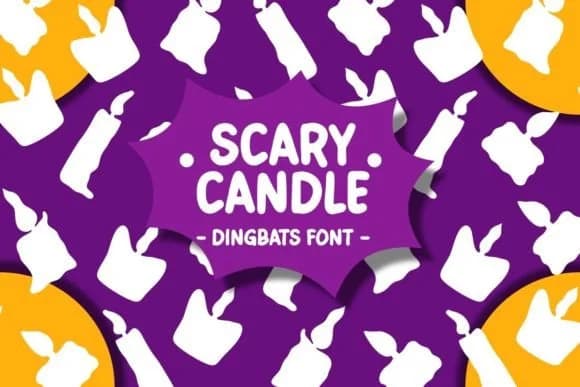
A collection of spooky, playful seasonal characters rendered in doodle-inspired style, Scary Candle is a dingbats font by Pian45 that centers on pumpkins, jack o'lanterns, and candlelit motifs. The glyphs lean into fun creepiness rather than full horror imagery, making them adaptable across different moods and audience ages, from kid-friendly to sophisticated adult projects.
This is the kind of icon set that works well for Halloween party invitation suites, where you need both playful and mildly eerie visual elements without going overboard. Use the glyphs for trick-or-treat poster designs, October event signage, or layer them into scrapbooking layouts and card designs. The doodle-inspired rendering also translates nicely to boutique Halloween packaging, DIY pumpkin carving stencil guides, and seasonal window displays. Since this is primarily glyphs and symbols, you can scale and colorize individual characters to match your project's mood, working equally well for children's seasonal cards or more upscale adult party designs.
Designers looking for a quick way to add thematic Halloween detail without sourcing individual illustrations will find real value here. The collection gives you flexibility to mix and match elements for any October-focused project. Grab Scary Candle on Creative Fabrica and have a seasonal toolkit ready to go.
Style & Use Cases
- Overall Style
- Iconographic, Spooky
- Use Case
- Icons, Accents
- Ideal For
- ornaments, bullets, and decorative flourishes
- Pairs With
- any text font
How to Install Scary Candle Font
Step-by-step instructions for every platform
- 1Download the Scary Candle font file (.ttf or .otf).
- 2Locate the downloaded file in your Downloads folder.
- 3Right-click the font file.
- 4Select "Install" to install for the current user, or "Install for all users" to make it available system-wide.
- 5Scary Candle is now available in Word, Photoshop, Illustrator, and all other apps.
Browse fonts by theme
Curated collections →Saw a font in a picture? Identify any font from an image with our free Font Finder.
More Dingbats Fonts
Browse all →







What pairs well with Scary Candle Font?
Scary Candle Font is a versatile dingbats font that works for both headings and body text. Pair it with a contrasting sans-serif or serif font to add visual interest and a clear distinction between titles and body copy.



Scary Candle Font
by Pian45
Reviewed by the FontBoxDL team · Updated July 2026