 Firefox
 1 / 6
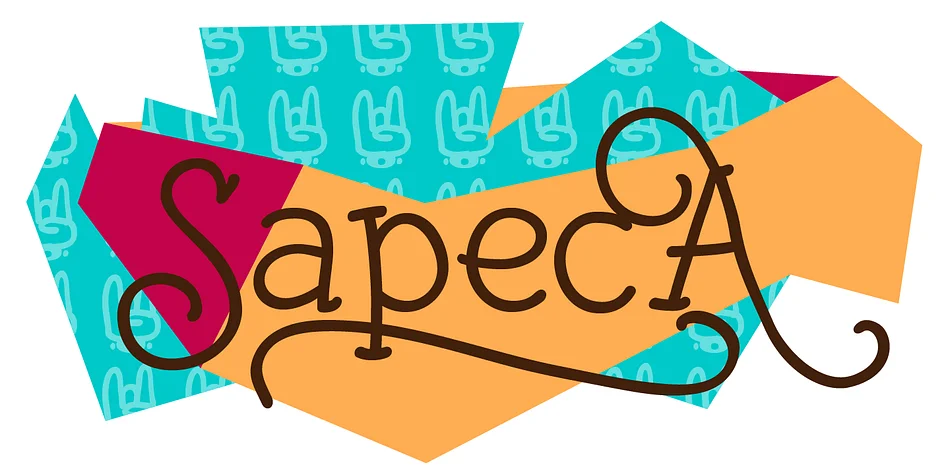
1 / 6About Sapeca Font
Sapeca brings genuine playfulness to the page without feeling forced or artificial. Just In Type designed this decorative typeface with both designers and the general public in mind, creating something that works for multiple skill levels and creative approaches. The built-in OpenType features deliver multiple letter variations and alternates, letting you swap characters within a single design to match different moods or create additional visual interest, keeping things whimsical for one project and dialing up the sophistication for another when the occasion calls for it.
You'll see it shine across wedding invitation suites, custom greeting cards, nursery wall decals, and personalized gift packaging. The varied character options let you build custom letterings by mixing and matching within the same piece, giving each design a handcrafted quality that standard decorative fonts struggle to achieve. It walks that middle ground between charm and refinement, so it works beyond pure novelty while still keeping things playful and approachable.
Pair Sapeca with a clean, neutral sans-serif like Inter or Source Sans Pro when you want both personality and legibility in the same layout. The contrast between playful decorative and minimal sans-serif lets each typeface do its job without competing for attention. Grab it on Creative Fabrica.
Style & Use Cases
- Overall Style
- Bold, Distinctive
- Use Case
- Headlines, Posters
- Ideal For
- logos, packaging, and standout titles
- Pairs With
- a neutral sans-serif
How to Install Sapeca Font
Step-by-step instructions for every platform
- 1Download the Sapeca font file (.ttf or .otf).
- 2Locate the downloaded file in your Downloads folder.
- 3Right-click the font file.
- 4Select "Install" to install for the current user, or "Install for all users" to make it available system-wide.
- 5Sapeca is now available in Word, Photoshop, Illustrator, and all other apps.
More by Just In Type
View all →

Browse fonts by theme
Curated collections →Saw a font in a picture? Identify any font from an image with our free Font Finder.
More Decorative Fonts
Browse all →







What pairs well with Sapeca Font?
Sapeca Font is a decorative font that shines as a display or heading face. Pair it with a clean sans-serif or serif font for body text — the contrast creates a clear hierarchy while the two styles stay balanced and easy to read.




Sapeca Font
by Just In Type
Reviewed by the FontBoxDL team · Updated July 2026