 Firefox
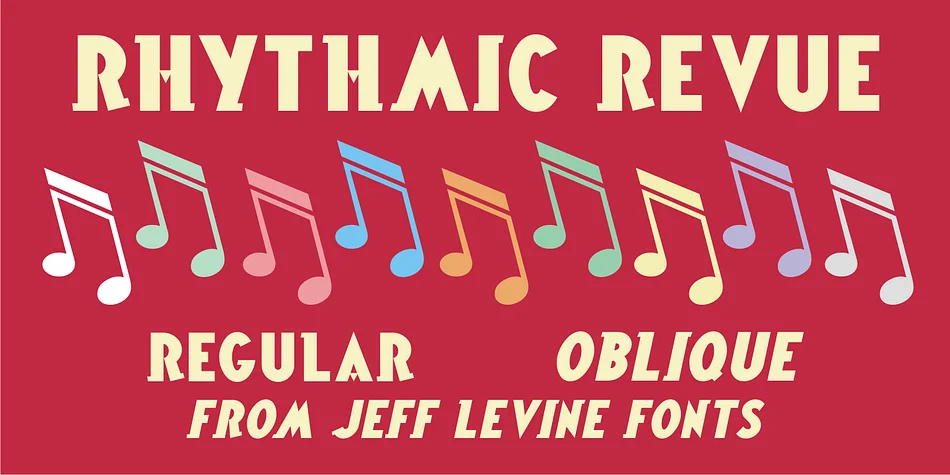
About Rhythmic Revue JNL Font
Rhythmic Revue JNL captures the bold swagger of 1930s hand lettering, drawing direct inspiration from the decorative show title lettering that graced vintage sheet music throughout the Jazz Age. Designed by Jeff Levine Fonts, this Art Deco display typeface carries the unmistakable energy and visual authority of Harlem's golden era through its slightly stylized, geometric letterforms that command instant attention on any page or package.
The typeface performs exceptionally well for cocktail menu covers and upscale lounge branding, vintage-inspired packaging for artisanal spirits and small-batch beverages, retro theater posters, and gallery opening announcements. Designers consistently select it when creating wedding invitation suites with a 1920s glamour aesthetic, jazz club event programs, speakeasy-themed identity systems, and period-accurate historical recreation design work. When a project demands that unmistakable Art Deco punch without veering into pastiche or nostalgia kitsch, Rhythmic Revue JNL delivers with genuine period voice and character. Available in both regular and oblique versions, the font provides practical weight options for creating layered typographic hierarchy and emphasis.
This is the typeface for designers building brands grounded in real historical authenticity, or anyone recreating the visual language of the Jazz Age with integrity. Find Rhythmic Revue JNL on Creative Fabrica.
Style & Use Cases
- Overall Style
- Eye-catching, Bold
- Use Case
- Headlines, Logos
- Ideal For
- posters, branding, and social media graphics
- Pairs With
- a readable sans or serif for body
How to Install Rhythmic Revue JNL Font
Step-by-step instructions for every platform
- 1Download the Rhythmic Revue JNL font file (.ttf or .otf).
- 2Locate the downloaded file in your Downloads folder.
- 3Right-click the font file.
- 4Select "Install" to install for the current user, or "Install for all users" to make it available system-wide.
- 5Rhythmic Revue JNL is now available in Word, Photoshop, Illustrator, and all other apps.
More by Jeff Levine Fonts
View all →



Browse fonts by theme
Curated collections →Saw a font in a picture? Identify any font from an image with our free Font Finder.
More Display Fonts
Browse all →







What pairs well with Rhythmic Revue JNL Font?
Rhythmic Revue JNL Font is a display font that shines as a display or heading face. Pair it with a clean sans-serif or serif font for body text — the contrast creates a clear hierarchy while the two styles stay balanced and easy to read.




Rhythmic Revue JNL Font
Reviewed by the FontBoxDL team · Updated September 2026