 Firefox
 1 / 5
1 / 5About PRIVILEGE SIGN Font
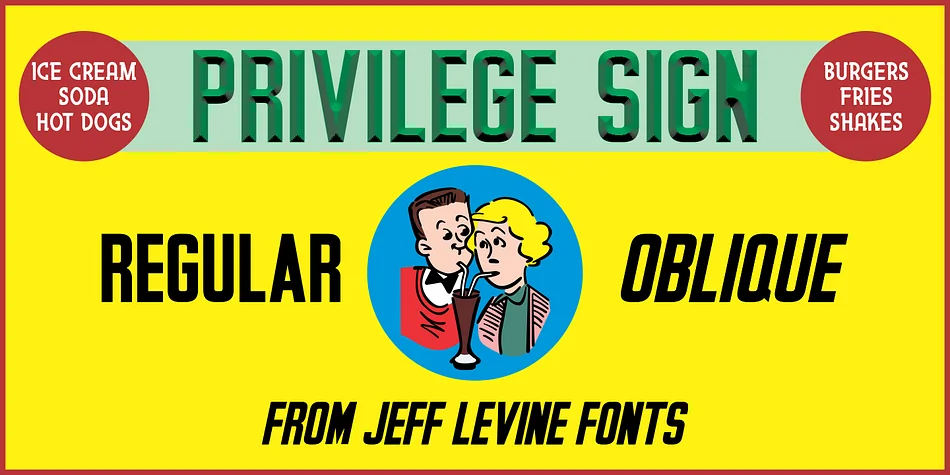
Picture a 1950s corner candy shop with industrial metal lettering gleaming above the awning, catching the afternoon light. That's the era Jeff Levine Fonts taps into with Privilege Sign, a display typeface modeled after the embossed signage that once advertised everything from newspapers to cold drinks. The condensed sans serif draws its character from real vintage storefront typography, where bold letterforms had to read clearly from across the street.
This style works beautifully for retro cafe menus, craft brewery labels, diner-themed event posters, and vintage ice cream parlor signage. These letterforms have that distinctly compressed, industrial quality that makes them feel both authoritative and nostalgic at once. Add a complementary color palette and subtle depth effects in your design software to mirror the prismatic metal look of those original signs, recreating the dimensional pop that made them impossible to miss.
Privilege Sign comes in regular and oblique versions, giving you flexibility to shift both the mood and intensity depending on your design approach. At large display sizes, the condensed letterforms stay sharp and legible while maintaining that distinctive mid-century shop-window character throughout. Get it on Creative Fabrica and bring that authentic 1950s storefront energy and flavor to your next project.
Style & Use Cases
- Overall Style
- Eye-catching, Bold
- Use Case
- Headlines, Logos
- Ideal For
- posters, branding, and social media graphics
- Pairs With
- a readable sans or serif for body
How to Install PRIVILEGE SIGN Font
Step-by-step instructions for every platform
- 1Download the PRIVILEGE SIGN font file (.ttf or .otf).
- 2Locate the downloaded file in your Downloads folder.
- 3Right-click the font file.
- 4Select "Install" to install for the current user, or "Install for all users" to make it available system-wide.
- 5PRIVILEGE SIGN is now available in Word, Photoshop, Illustrator, and all other apps.
More by Jeff Levine Fonts
View all →



Browse fonts by theme
Curated collections →Saw a font in a picture? Identify any font from an image with our free Font Finder.
More Display Fonts
Browse all →







What pairs well with PRIVILEGE SIGN Font?
PRIVILEGE SIGN Font is a display font that shines as a display or heading face. Pair it with a clean sans-serif or serif font for body text — the contrast creates a clear hierarchy while the two styles stay balanced and easy to read.




PRIVILEGE SIGN Font
Reviewed by the FontBoxDL team · Updated October 2026