 Firefox
 1 / 5
1 / 5About Pelota Pro Font
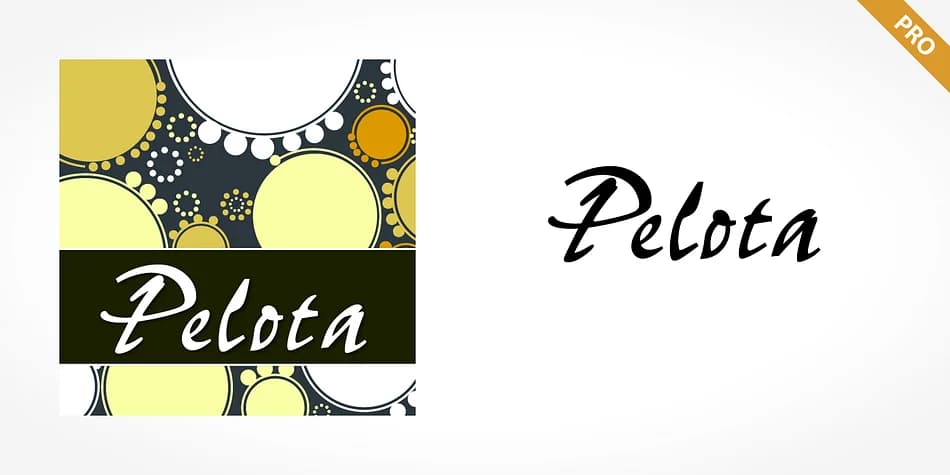
Picture a craft baker hand-lettering the tag on a box of cookies, with that loose, energetic style that feels personal rather than polished or stiff. That's the spirit behind Pelota Pro, a brush script designed by SoftMaker that captures that spontaneous hand-drawn energy without requiring actual calligraphy skills.
The font shines in print applications where personality truly matters. Wedding invitation suites benefit from its casual, approachable energy, while artisanal bakery labels and product tags gain an authentic handmade feel that customers genuinely connect with. Indie boutique menu cards look inviting rather than precious, and DIY event signage practically pops with character and movement. Its bouncy letterforms work equally well at headline sizes or as a display accent, bringing real warmth to layouts that might otherwise feel corporate or stiff.
Its brush stroke detail reads distinctly even when scaled down, but Pelota Pro truly shines at larger point sizes, where the flowing rhythm and those textured edges become unmissable. That's when the casual, impulsive energy feels most authentic and the letterforms achieve their full character. Find it on Creative Fabrica and start adding that genuine handmade touch to your next project.
Style & Use Cases
- Overall Style
- Eye-catching, Bold
- Use Case
- Headlines, Logos
- Ideal For
- posters, branding, and social media graphics
- Pairs With
- a readable sans or serif for body
How to Install Pelota Pro Font
Step-by-step instructions for every platform
- 1Download the Pelota Pro font file (.ttf or .otf).
- 2Locate the downloaded file in your Downloads folder.
- 3Right-click the font file.
- 4Select "Install" to install for the current user, or "Install for all users" to make it available system-wide.
- 5Pelota Pro is now available in Word, Photoshop, Illustrator, and all other apps.
More by SoftMaker
View all →



Browse fonts by theme
Curated collections →Saw a font in a picture? Identify any font from an image with our free Font Finder.
More Display Fonts
Browse all →







What pairs well with Pelota Pro Font?
Pelota Pro Font is a display font that shines as a display or heading face. Pair it with a clean sans-serif or serif font for body text — the contrast creates a clear hierarchy while the two styles stay balanced and easy to read.



Pelota Pro Font
by SoftMaker
Reviewed by the FontBoxDL team · Updated June 2026