 Firefox
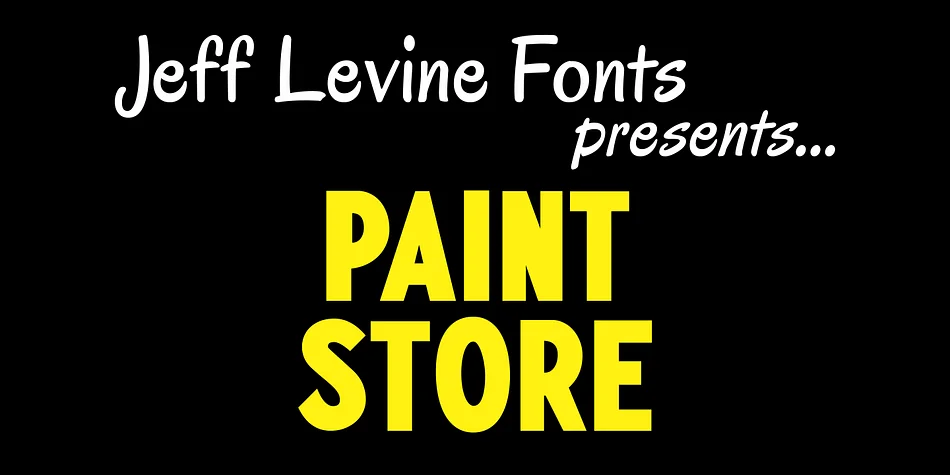
About PAINT STORE JNL Font
Paint Store JNL captures that distinctive chunky, bold character of mid-century water-applied decals. Designer Jeff Levine created this font by studying actual transfer lettering from Chicago's Duro Decal Company, pulling inspiration from the commercial signage and labels that populated hardware stores, paint shops, and print rooms for decades. The letterforms carry genuine warmth, with that slightly rough, hand-applied quality that reads as honest nostalgia rather than manufactured retro aesthetics.
This display font hits the mark for anyone chasing authentic 1950s branding. You can use it for vintage shop signage, retro beer and beverage labels, antique store window displays, and hand-painted style product packaging. The bold weight and clear readability work equally well at large poster sizes or smaller craft applications where that commercial vintage feel adds real presence and personality. It's the kind of typeface that feels right on a faded enamel sign or a limited-edition craft box, bringing character to work that needs to look honest and lived-in.
Designers and makers seeking that unpretentious, authentic retro flair will find Paint Store JNL does exactly what the brief calls for. The font is available on Creative Fabrica, ready to bring genuine mid-century commercial charm to your next design.
Style & Use Cases
- Overall Style
- Eye-catching, Bold
- Use Case
- Headlines, Logos
- Ideal For
- posters, branding, and social media graphics
- Pairs With
- a readable sans or serif for body
How to Install PAINT STORE JNL Font
Step-by-step instructions for every platform
- 1Download the PAINT STORE JNL font file (.ttf or .otf).
- 2Locate the downloaded file in your Downloads folder.
- 3Right-click the font file.
- 4Select "Install" to install for the current user, or "Install for all users" to make it available system-wide.
- 5PAINT STORE JNL is now available in Word, Photoshop, Illustrator, and all other apps.
More by Jeff Levine Fonts
View all →



Browse fonts by theme
Curated collections →Saw a font in a picture? Identify any font from an image with our free Font Finder.
More Display Fonts
Browse all →







What pairs well with PAINT STORE JNL Font?
PAINT STORE JNL Font is a display font that shines as a display or heading face. Pair it with a clean sans-serif or serif font for body text — the contrast creates a clear hierarchy while the two styles stay balanced and easy to read.




PAINT STORE JNL Font
Reviewed by the FontBoxDL team · Updated October 2026