 Firefox
About MIXED DRINKS JNL Font
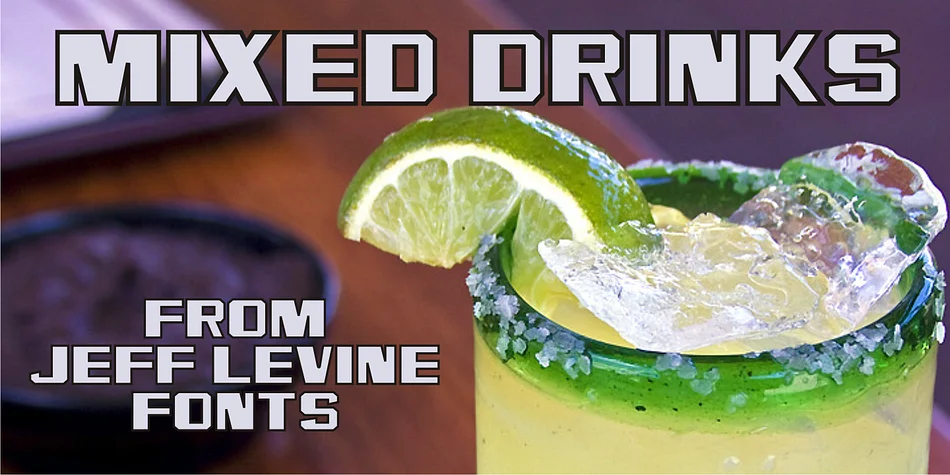
This typeface captures the sophisticated gleam of mid-century glamour, the kind you'd see on a well-stocked bar in 1960. Mixed Drinks JNL, designed by Jeff Levine Fonts, takes its character from gold foil self-adhesive lettering that Cameo manufactured for Schenley whiskey bottles back in the late 1950s and early 1960s.
Back then, these letters served a specific purpose: letting customers personalize their own bottles of premium whiskey or create something memorable enough to give as a gift. There's a playfulness in that idea, mixed with real luxury. The typeface carries both those qualities in spades. The letterforms have that slightly dimensional, metallic quality of foil lettering, giving them real presence on the page and a touch of that vintage bar-shelf appeal.
You'll find this works beautifully for vintage cocktail party invitations, custom wine and spirits labels, speakeasy-themed event signage, and personalized bottle designs for weddings or anniversaries. It's equally at home in retro bar branding or as the standout headline voice in a classic jazz-era poster. Pair it with a clean, modern sans-serif for any body copy, which lets the display type do what it does best. Grab it from Creative Fabrica to add some sophisticated, nostalgic character to your next project.
Style & Use Cases
- Overall Style
- Eye-catching, Bold
- Use Case
- Headlines, Logos
- Ideal For
- posters, branding, and social media graphics
- Pairs With
- a readable sans or serif for body
How to Install MIXED DRINKS JNL Font
Step-by-step instructions for every platform
- 1Download the MIXED DRINKS JNL font file (.ttf or .otf).
- 2Locate the downloaded file in your Downloads folder.
- 3Right-click the font file.
- 4Select "Install" to install for the current user, or "Install for all users" to make it available system-wide.
- 5MIXED DRINKS JNL is now available in Word, Photoshop, Illustrator, and all other apps.
More by Jeff Levine Fonts
View all →



Browse fonts by theme
Curated collections →Saw a font in a picture? Identify any font from an image with our free Font Finder.
More Display Fonts
Browse all →







What pairs well with MIXED DRINKS JNL Font?
MIXED DRINKS JNL Font is a display font that shines as a display or heading face. Pair it with a clean sans-serif or serif font for body text — the contrast creates a clear hierarchy while the two styles stay balanced and easy to read.




MIXED DRINKS JNL Font
Reviewed by the FontBoxDL team · Updated September 2026