 Firefox
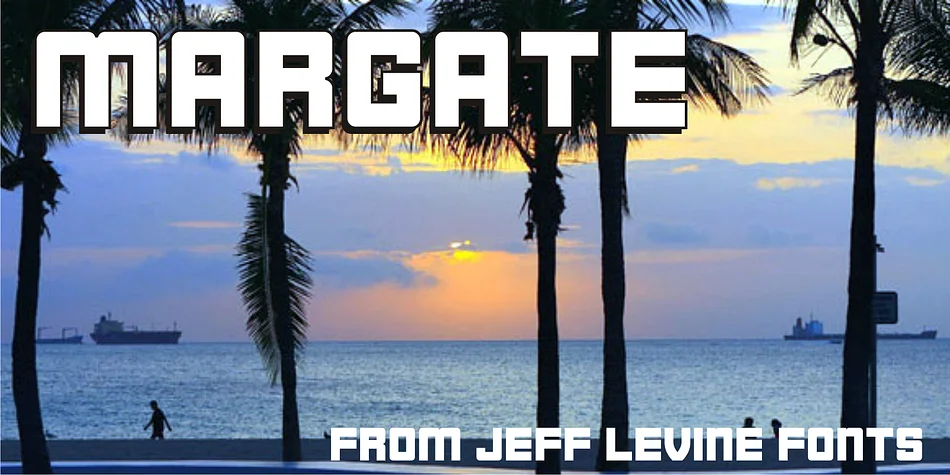
About MARGATE JNL Font
Margate JNL by Jeff Levine Fonts traces its ancestry to water-transfer decals manufactured in 1962 by the American Decalcomania Company specifically for Goodyear vehicles. This geometric, block-weight typeface carries the solid confidence of mid-century industrial design, with just enough Art Deco influence to keep it visually compelling without tipping into pure nostalgia. The uniform weight throughout and bold character make it one of those typefaces that simply refuses to whisper.
Where this face truly shines is in projects that demand strong visual presence and genuine vintage credibility. Retro diner menus, bourbon and spirits branding, vinyl record sleeve designs, and classic car restoration graphics all benefit substantially from its authoritative, no-nonsense structure. Designers working on vintage-inspired product packaging (think artisanal jams, craft sodas, or vintage-style cosmetics) consistently find that Margate JNL grounds contemporary work in a visual language that people instinctively trust. It communicates authenticity without requiring lengthy explanation or apology.
This is a display typeface that performs best when given room to breathe, particularly at larger sizes where its bold geometry commands full attention. If your project needs a typeface that channels mid-century industrial confidence with real backbone, find Margate JNL on Creative Fabrica.
Style & Use Cases
- Overall Style
- Eye-catching, Bold
- Use Case
- Headlines, Logos
- Ideal For
- posters, branding, and social media graphics
- Pairs With
- a readable sans or serif for body
How to Install MARGATE JNL Font
Step-by-step instructions for every platform
- 1Download the MARGATE JNL font file (.ttf or .otf).
- 2Locate the downloaded file in your Downloads folder.
- 3Right-click the font file.
- 4Select "Install" to install for the current user, or "Install for all users" to make it available system-wide.
- 5MARGATE JNL is now available in Word, Photoshop, Illustrator, and all other apps.
More by Jeff Levine Fonts
View all →



Browse fonts by theme
Curated collections →Saw a font in a picture? Identify any font from an image with our free Font Finder.
More Display Fonts
Browse all →







What pairs well with MARGATE JNL Font?
MARGATE JNL Font is a display font that shines as a display or heading face. Pair it with a clean sans-serif or serif font for body text — the contrast creates a clear hierarchy while the two styles stay balanced and easy to read.




MARGATE JNL Font
Reviewed by the FontBoxDL team · Updated September 2026