 Firefox
 1 / 3
1 / 3About Louis Font
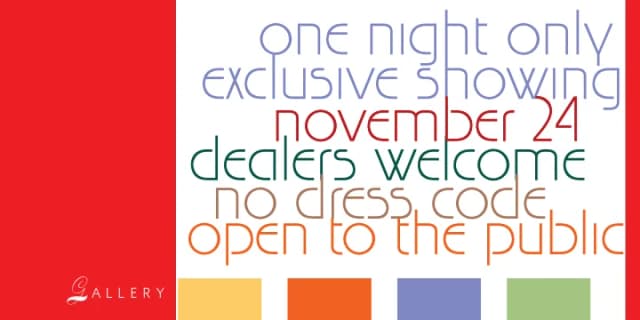
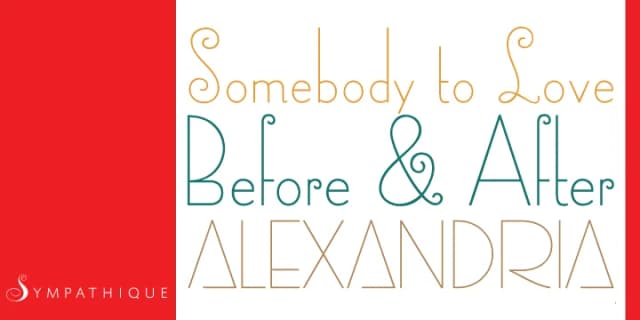
This 1927 design carries display typeface DNA with bold, decorative letterforms built for genuine impact. The original Fanfare was drawn by Louis Oppenheim; today's digital Louis has been redrawn by Rod MacDonald and engineered by Canada Type to work beautifully in contemporary design.
The real value sits in flexibility and variety. You get multiple character alternates that let you swap details without changing the core vibe, keeping designs from feeling repetitive. Beyond that, three distinct versions give you even more range: the standard letterforms, a soft-cornered variation that feels gentler, and a rough woodcut treatment that reads like hand-carved letterforms. The typeface covers Latin-based languages comprehensively, so you can use it across European markets without worrying about missing characters.
Designers reach for Louis when building vintage poster designs, creating luxury cosmetics packaging, and designing wedding invitation suites with personality. It works beautifully for boutique restaurant menus, hand-lettered craft signage, and editorial magazine layouts that demand real visual presence. Anyone working on retro branding projects or pieces with a deliberate throwback aesthetic will find this typeface essential. Grab Louis on Creative Fabrica, where it's ready for both personal and commercial work.
Style & Use Cases
- Overall Style
- Eye-catching, Bold
- Use Case
- Headlines, Logos
- Ideal For
- posters, branding, and social media graphics
- Pairs With
- a readable sans or serif for body
How to Install Louis Font
Step-by-step instructions for every platform
- 1Download the Louis font file (.ttf or .otf).
- 2Locate the downloaded file in your Downloads folder.
- 3Right-click the font file.
- 4Select "Install" to install for the current user, or "Install for all users" to make it available system-wide.
- 5Louis is now available in Word, Photoshop, Illustrator, and all other apps.
More by Canada Type
View all →

Browse fonts by theme
Curated collections →Saw a font in a picture? Identify any font from an image with our free Font Finder.
More Display Fonts
Browse all →







What pairs well with Louis Font?
Louis Font is a display font that shines as a display or heading face. Pair it with a clean sans-serif or serif font for body text — the contrast creates a clear hierarchy while the two styles stay balanced and easy to read.



Louis Font
by Canada Type
Reviewed by the FontBoxDL team · Updated September 2026