 Firefox
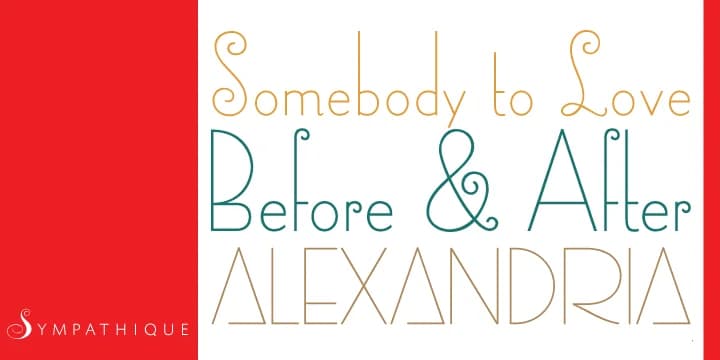
About Sympathique Pro Font
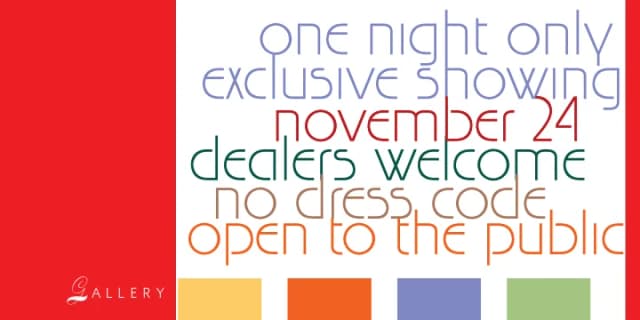
Sympathique Pro distills the sleek geometry of art deco into contemporary luxury design territory. Created by Canada Type, this decorative typeface plays with an intriguing gender contrast: capitals lean masculine and restrained, while lowercase letters embrace distinctly feminine curves and flourish. That balance gives the font genuine character and visual presence on every application.
High-end materials showcase what this typeface does best, especially when restraint and style need to coexist. Think luxury perfume packaging, editorial mastheads for lifestyle magazines, upscale wedding invitation suites, and boutique fashion lookbooks. An extended character set includes numerous alternate glyphs for customization, and the OpenType Pro version includes intelligent substitutions that work automatically in software supporting advanced typography. This saves you from tedious manual swaps and keeps your workflow smooth.
Designers working with clients who value craft and finish will find a natural partner here. This font understands that true fashion rests on presence paired with restraint, on elegance grounded in careful proportion. Get Sympathique Pro on Creative Fabrica in all standard formats, where you can explore the variations and test it against your specific project needs.
Style & Use Cases
- Overall Style
- Bold, Distinctive
- Use Case
- Headlines, Posters
- Ideal For
- logos, packaging, and standout titles
- Pairs With
- a neutral sans-serif
How to Install Sympathique Pro Font
Step-by-step instructions for every platform
- 1Download the Sympathique Pro font file (.ttf or .otf).
- 2Locate the downloaded file in your Downloads folder.
- 3Right-click the font file.
- 4Select "Install" to install for the current user, or "Install for all users" to make it available system-wide.
- 5Sympathique Pro is now available in Word, Photoshop, Illustrator, and all other apps.
More by Canada Type
View all →


Browse fonts by theme
Curated collections →Saw a font in a picture? Identify any font from an image with our free Font Finder.
More Decorative Fonts
Browse all →







What pairs well with Sympathique Pro Font?
Sympathique Pro Font is a decorative font that shines as a display or heading face. Pair it with a clean sans-serif or serif font for body text — the contrast creates a clear hierarchy while the two styles stay balanced and easy to read.



Sympathique Pro Font
by Canada Type
Reviewed by the FontBoxDL team · Updated June 2026