 Firefox
 1 / 5
1 / 5About Leafglyphs Font
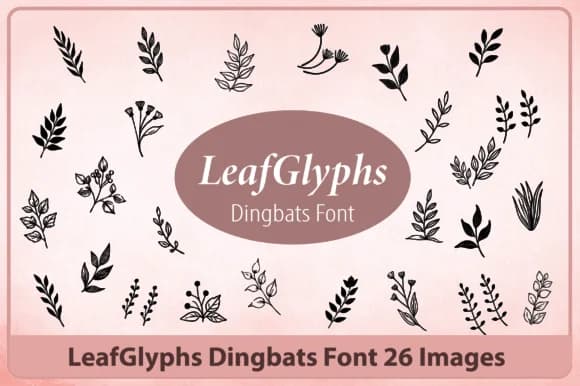
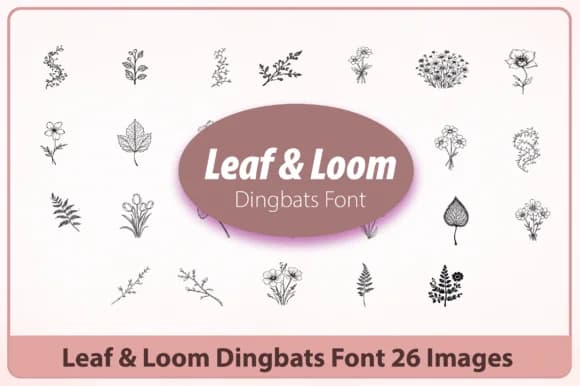
Hand-drawn leaves replace traditional letterforms in Leafglyphs, Happy Bamboo's inventive take on decorative typography. Each character becomes a carefully rendered leaf shape or foliage glyph, letting you build messages and accents entirely from natural forms rather than conventional letters.
This font shines on projects where ornament matters as much as legibility. Wedding invitation suites with delicate leaf borders work beautifully, as do Etsy product labels for organic skincare, artisan tea, or wellness goods. Indie herbalism packaging gains instant authenticity, and hand-lettered signage in plant-forward cafes and eco-conscious shops feels right at home. An extensive glyph set gives you room to layer and mix variations, building botanical compositions that feel intentional and layered rather than random or mechanical.
Since this is a dingbat font built entirely from decorative elements, you're not limited by traditional letter constraints. Mix and match leaves, stems, and flourishes to create borders, dividers, or standalone decorative arrangements throughout your designs. The hand-drawn quality keeps everything warm and human-scaled, never feeling corporate or sterile. This works best for creatives and makers who want nature woven into their visual identity without relying on text alone. If you need botanical elements that feel personal and organic, grab Leafglyphs on Creative Fabrica.
Style & Use Cases
- Overall Style
- Iconographic, Botanical Dingbat Font
- Use Case
- Icons, Accents
- Ideal For
- ornaments, bullets, and decorative flourishes
- Pairs With
- any text font
How to Install Leafglyphs Font
Step-by-step instructions for every platform
- 1Download the Leafglyphs font file (.ttf or .otf).
- 2Locate the downloaded file in your Downloads folder.
- 3Right-click the font file.
- 4Select "Install" to install for the current user, or "Install for all users" to make it available system-wide.
- 5Leafglyphs is now available in Word, Photoshop, Illustrator, and all other apps.
More by Happy Bamboo
View all →
Browse fonts by theme
Curated collections →Saw a font in a picture? Identify any font from an image with our free Font Finder.
More Dingbats Fonts
Browse all →







What pairs well with Leafglyphs Font?
Leafglyphs Font is a versatile dingbats font that works for both headings and body text. Pair it with a contrasting sans-serif or serif font to add visual interest and a clear distinction between titles and body copy.



Leafglyphs Font
by Happy Bamboo
Reviewed by the FontBoxDL team · Updated July 2026