 Firefox
 1 / 5
1 / 5About Snail Dings Font
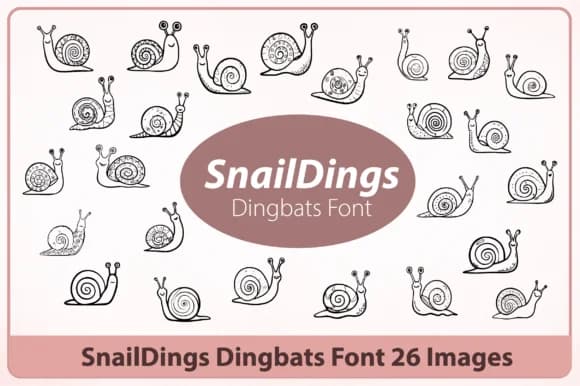
Snail Dings, created by Happy Bamboo, is a dingbat typeface built on geometric snail forms that slot into layouts without requiring separate illustration files. Twenty-six characters make up this set, each featuring whorled and patterned details that layer into visual compositions cleanly.
Where this font shines is in scrapbooking embellishments, bullet journal spreads, sticker sheet production, and branding mark systems. The geometric precision means the illustrations hold their weight even when sized down for fine detail work, making them viable for hand-lettered packaging labels and DIY greeting cards alike. Wall decals and decorative stickers pull from this icon set readily. Kids' craft templates benefit from the cheerful character range, while the clean line-art construction crosses over between screen displays and print materials without losing any character definition.
Anyone working on digital planners or physical craft projects will appreciate how these patterned characters feel intentional without veering into overcomplicated territory. Pairing well with type-forward layouts, the icons do not compete for visual attention when used alongside other design elements. This makes them a strong choice for designers and makers seeking decorative accents that read as purposeful rather than purely decorative filler. Find Snail Dings on Creative Fabrica and integrate these whorled shapes into your project library.
Style & Use Cases
- Overall Style
- Iconographic, Logo Design
- Use Case
- Icons, Accents
- Ideal For
- ornaments, bullets, and decorative flourishes
- Pairs With
- any text font
How to Install Snail Dings Font
Step-by-step instructions for every platform
- 1Download the Snail Dings font file (.ttf or .otf).
- 2Locate the downloaded file in your Downloads folder.
- 3Right-click the font file.
- 4Select "Install" to install for the current user, or "Install for all users" to make it available system-wide.
- 5Snail Dings is now available in Word, Photoshop, Illustrator, and all other apps.
More by Happy Bamboo
View all →
Browse fonts by theme
Curated collections →Saw a font in a picture? Identify any font from an image with our free Font Finder.
More Dingbats Fonts
Browse all →







What pairs well with Snail Dings Font?
Snail Dings Font is a versatile dingbats font that works for both headings and body text. Pair it with a contrasting sans-serif or serif font to add visual interest and a clear distinction between titles and body copy.



Snail Dings Font
by Happy Bamboo
Reviewed by the FontBoxDL team · Updated July 2026