 Firefox
 1 / 5
1 / 5About Leaf & Loom Font
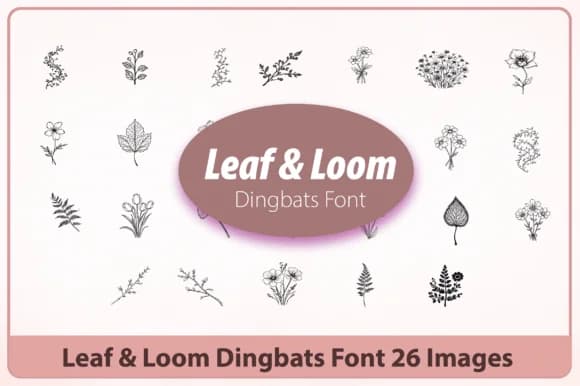
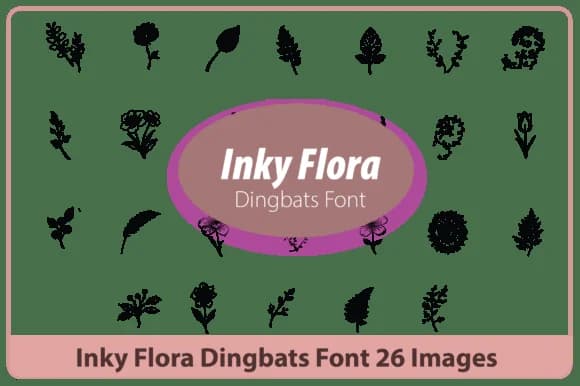
Leaf & Loom by Happy Bamboo is a minimalist botanical dingbat font that trades visual clutter for nuance. Each hand-drawn leaf and flower mark carries real intention without demanding attention, which means these symbols work hardest in the background of your layouts, supporting rather than overwhelming.
The actual strength of this collection is specificity combined with restraint. These symbols shine in wedding invitation suites where elegance matters most, on boutique skincare packaging that needs to feel considered, across social media graphics for plant-focused brands, and on Etsy product labels where botanical character helps items catch the eye without trying too hard. Planner spreads, greeting cards, and subscription box packaging are equally good homes for this work, especially when that hand-drawn quality matters but you need to keep things feeling clean.
Pair them with serif or sans-serif type and they'll read as part of your visual system rather than decoration applied after the fact. The minimal approach ensures they won't compete with your main messaging, and that human-made quality comes through even when small. Head to Creative Fabrica and add Leaf & Loom to your collection.
Style & Use Cases
- Overall Style
- Iconographic, Botanical Dingbat Font
- Use Case
- Icons, Accents
- Ideal For
- ornaments, bullets, and decorative flourishes
- Pairs With
- any text font
How to Install Leaf & Loom Font
Step-by-step instructions for every platform
- 1Download the Leaf & Loom font file (.ttf or .otf).
- 2Locate the downloaded file in your Downloads folder.
- 3Right-click the font file.
- 4Select "Install" to install for the current user, or "Install for all users" to make it available system-wide.
- 5Leaf & Loom is now available in Word, Photoshop, Illustrator, and all other apps.
More by Happy Bamboo
View all →
Browse fonts by theme
Curated collections →Saw a font in a picture? Identify any font from an image with our free Font Finder.
More Dingbats Fonts
Browse all →







What pairs well with Leaf & Loom Font?
Leaf & Loom Font is a versatile dingbats font that works for both headings and body text. Pair it with a contrasting sans-serif or serif font to add visual interest and a clear distinction between titles and body copy.



Leaf & Loom Font
by Happy Bamboo
Reviewed by the FontBoxDL team · Updated July 2026