 Firefox
About INFORMATIONAL SIGN JNL Font
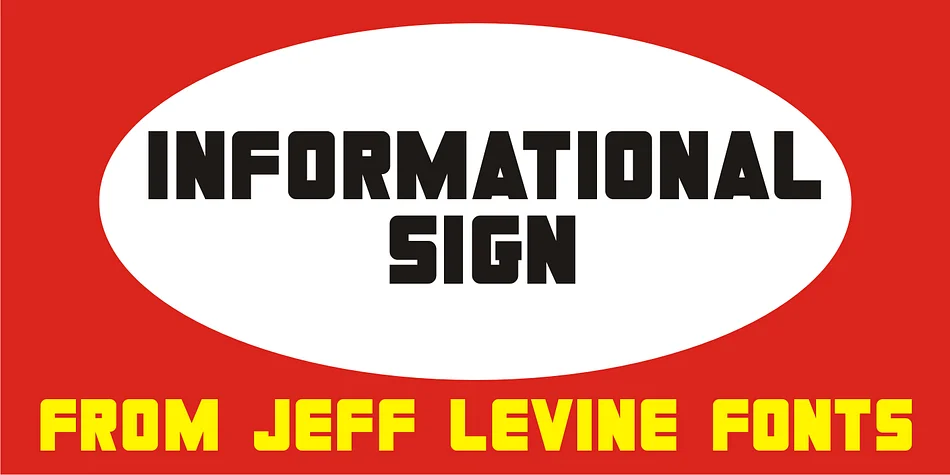
Picture yourself designing a menu for a 1930s-inspired speakeasy or laying out a bold retro poster that absolutely has to stop people in their tracks. INFORMATIONAL SIGN JNL, created by Jeff Levine Fonts, is the typeface you'd naturally reach for. It's an ultra-bold Art Deco design pulled directly from a vintage metal sign, the kind that once guarded doorways with typographic authority and unmistakable visual punch.
This display font shines on vintage diner menus, retro concert posters, speakeasy-themed event invitations, and boutique storefront signage that demands serious visual presence. Its thick, angular letterforms carry the industrial confidence of 1930s commercial signage, with every stroke deliberately built for maximum impact and readability. From large window displays to smaller printed materials, the ultra-bold weight does the work for you, cutting through visual noise without fussiness.
When you need lettering that feels genuinely rooted in a specific era and doesn't apologize for its boldness, this is the one. You won't need effects or tricks to make the design work; the typeface carries all the weight. Grab it on Creative Fabrica and give your next vintage-inspired project the strong typographic foundation it deserves.
Style & Use Cases
- Overall Style
- Eye-catching, Bold
- Use Case
- Headlines, Logos
- Ideal For
- posters, branding, and social media graphics
- Pairs With
- a readable sans or serif for body
How to Install INFORMATIONAL SIGN JNL Font
Step-by-step instructions for every platform
- 1Download the INFORMATIONAL SIGN JNL font file (.ttf or .otf).
- 2Locate the downloaded file in your Downloads folder.
- 3Right-click the font file.
- 4Select "Install" to install for the current user, or "Install for all users" to make it available system-wide.
- 5INFORMATIONAL SIGN JNL is now available in Word, Photoshop, Illustrator, and all other apps.
More by Jeff Levine Fonts
View all →



Browse fonts by theme
Curated collections →Saw a font in a picture? Identify any font from an image with our free Font Finder.
More Display Fonts
Browse all →







What pairs well with INFORMATIONAL SIGN JNL Font?
INFORMATIONAL SIGN JNL Font is a display font that shines as a display or heading face. Pair it with a clean sans-serif or serif font for body text — the contrast creates a clear hierarchy while the two styles stay balanced and easy to read.




INFORMATIONAL SIGN JNL Font
Reviewed by the FontBoxDL team · Updated September 2026