
 1 / 9
1 / 9About Identity Check Font
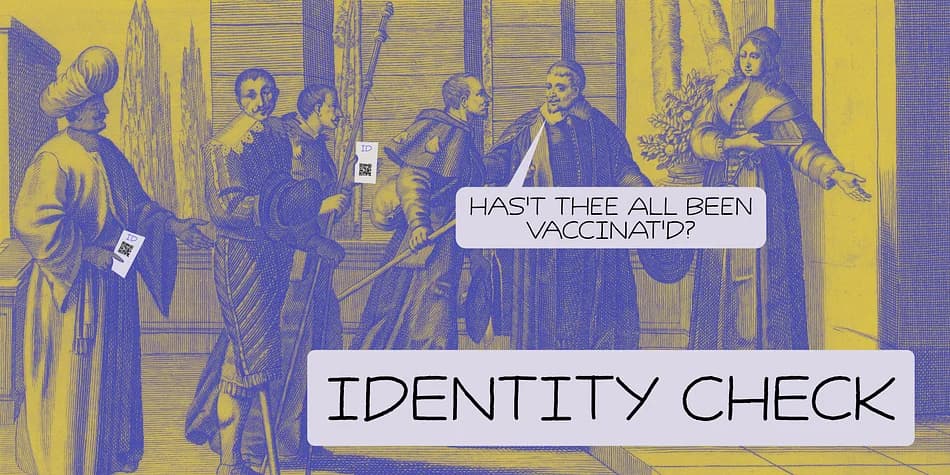
Every time I bring my youngest son to his swimming lessons, I need to show my Covid Vaccination Pass; a QR code on my phone. I thought that I would be off the hook after I showed it the first time, but no, not at the swimming pool! It feels a bit like a bad comic book, so I decided to name this comic book style font Identity Check. Of course, I should have called it Covid Vaccination Check, but that is just too much and it probably won’t sell. Who wants a font called Covid?? ;-)
Identity Check is a comic book style font. The glyphs are wider than I am used to (it seems I AM capable of learning new tricks), but the effect is rather nice.
Identity Check comes with extensive language support, including Cyrillic and Vietnamese. Plus two sets of alternate glyphs, that cycle as you type.
How to Install Identity Check Font
Step-by-step instructions for every platform
- 1Download the Identity Check font file (.ttf or .otf).
- 2Locate the downloaded file in your Downloads folder.
- 3Right-click the font file.
- 4Select "Install" to install for the current user, or "Install for all users" to make it available system-wide.
- 5Identity Check is now available in Word, Photoshop, Illustrator, and all other apps.
More by Hanoded
View all →



More Decorative Fonts
Browse all →







What pairs well with Identity Check Font?
Identity Check Font is a decorative font that shines as a display or heading face. Pair it with a clean sans-serif or serif font for body text — the contrast creates a clear hierarchy while the two styles stay balanced and easy to read.


Identity Check Font
by Hanoded
Reviewed by the FontBoxDL team · Updated April 2026