 Firefox
 1 / 6
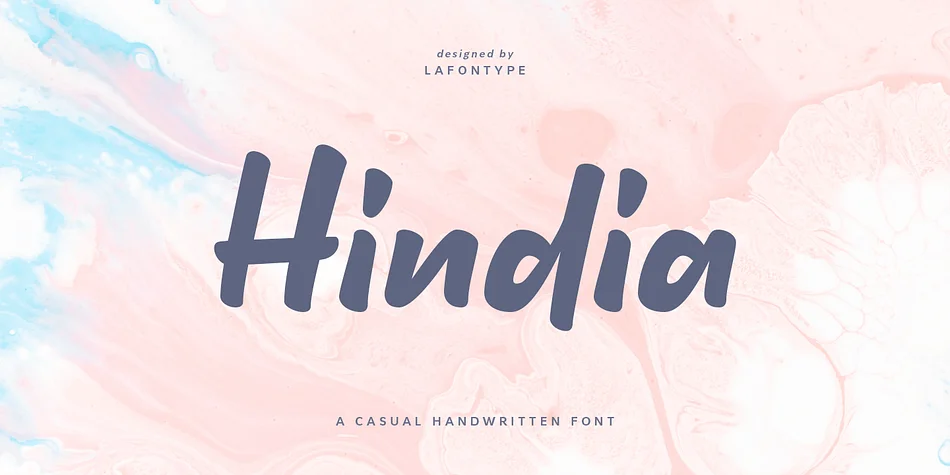
1 / 6About Hindia Font
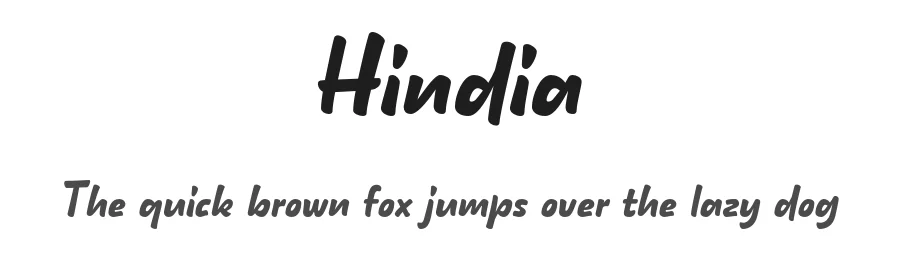
Hindia brings a relaxed, organic quality to display work, with letterforms that feel genuinely handdrawn rather than digitally stiff. Created by Lafontype, this casual typeface captures that personal touch you get from pen on paper, making it ideal when warmth and authenticity matter in your message. The font includes multilingual character support, so you can work across different languages and markets without hunting for alternatives.
This is the font to reach for when you need personality in your typography. Wedding invitation suites, boutique product packaging, and hand-lettered social media graphics all benefit from Hindia's approachable, organic rhythm. Custom greeting cards, event signage, and Etsy shop branding are equally well-served by this style, especially where a human touch builds real connection with your audience. The casual handwritten approach sits somewhere between polished and sketch-like, giving you the flexibility to work across both formal and laid-back contexts without the letterforms feeling out of place.
Hindia works best for designers and small businesses building brand identity through handmade aesthetic. It's the natural choice for anyone crafting stationery, labels, social content, or packaging that needs a conversational voice. Head over to Creative Fabrica to grab it and start adding that authentic, personal touch to your next project.
Style & Use Cases
- Overall Style
- Eye-catching, Bold
- Use Case
- Headlines, Logos
- Ideal For
- posters, branding, and social media graphics
- Pairs With
- a readable sans or serif for body
How to Install Hindia Font
Step-by-step instructions for every platform
- 1Download the Hindia font file (.ttf or .otf).
- 2Locate the downloaded file in your Downloads folder.
- 3Right-click the font file.
- 4Select "Install" to install for the current user, or "Install for all users" to make it available system-wide.
- 5Hindia is now available in Word, Photoshop, Illustrator, and all other apps.
More by Lafontype
View all →
Browse fonts by theme
Curated collections →Saw a font in a picture? Identify any font from an image with our free Font Finder.
More Display Fonts
Browse all →







What pairs well with Hindia Font?
Hindia Font is a display font that shines as a display or heading face. Pair it with a clean sans-serif or serif font for body text — the contrast creates a clear hierarchy while the two styles stay balanced and easy to read.




Hindia Font
by Lafontype
Reviewed by the FontBoxDL team · Updated June 2026