 Firefox
 1 / 5
1 / 5About Headlight Pro Font
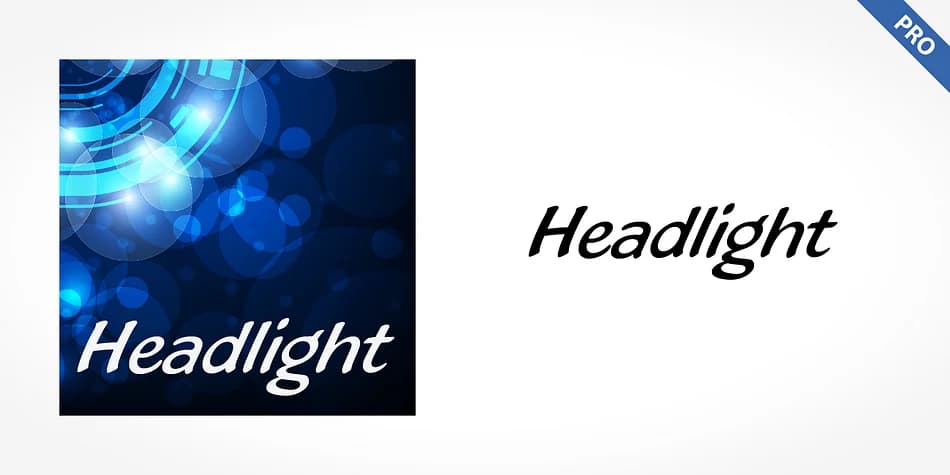
Headlight Pro by SoftMaker captures that loose, spontaneous energy of 1990s calligraphy, where handwriting prioritized genuine expression over mechanical perfection. The letterforms flow with intentional freeform character, mixing dynamic strokes with organic curves that feel authentically sketched rather than polished or calculated. This script carries that distinctly German sensibility in its construction, carefully balancing underlying control with purposeful irregularity that keeps everything lively, human, and engaging throughout.
You'll want this font whenever your work needs authentic 90s nostalgia and genuine period accuracy. Think vintage album artwork, indie record label designs, retro concert posters, or handmade-looking brand identity suites. It's equally at home on luxury packaging that's leaning into that rebellious nineties aesthetic, alternative fashion lookbooks, or DIY publication covers and zine design. The script works best where authenticity truly matters more than corporate polish, where imperfection is the actual strength and draws people in.
Designers building retro-inspired portfolios and agencies working on legacy brand revivals will find real value in how Headlight Pro captures that period without becoming a gimmick or feeling forced. You can grab it on Creative Fabrica and put it to work in your next project immediately.
Style & Use Cases
- Overall Style
- Eye-catching, Bold
- Use Case
- Headlines, Logos
- Ideal For
- posters, branding, and social media graphics
- Pairs With
- a readable sans or serif for body
How to Install Headlight Pro Font
Step-by-step instructions for every platform
- 1Download the Headlight Pro font file (.ttf or .otf).
- 2Locate the downloaded file in your Downloads folder.
- 3Right-click the font file.
- 4Select "Install" to install for the current user, or "Install for all users" to make it available system-wide.
- 5Headlight Pro is now available in Word, Photoshop, Illustrator, and all other apps.
More by SoftMaker
View all →

Browse fonts by theme
Curated collections →Saw a font in a picture? Identify any font from an image with our free Font Finder.
More Display Fonts
Browse all →







What pairs well with Headlight Pro Font?
Headlight Pro Font is a display font that shines as a display or heading face. Pair it with a clean sans-serif or serif font for body text — the contrast creates a clear hierarchy while the two styles stay balanced and easy to read.



Headlight Pro Font
by SoftMaker
Reviewed by the FontBoxDL team · Updated June 2026