 Firefox
 1 / 10
About Glaire Font
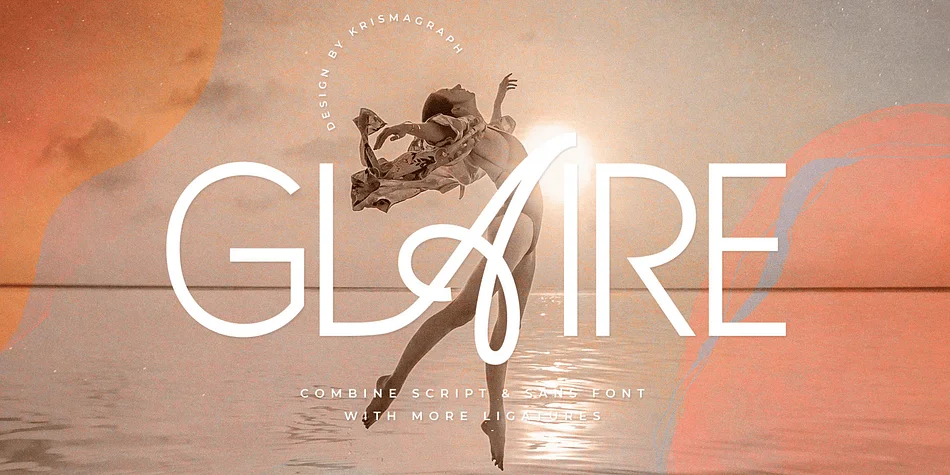
Glaire by Krismagraph is a script-and-sans hybrid with distinctive ligatures, built to make headlines land with quiet confidence and visual refinement. Hand-influenced letterforms pair with a clean structural backbone, creating something that reads as contemporary without feeling sterile or overwrought. This typeface comes alive in spaces where type carries real weight: magazine cover treatments, luxury brand identities, wedding invitation suites, boutique packaging labels, and editorial section breaks all benefit from its balanced personality.
The ligatures create intentional connection points between letterforms, giving you nuanced control over rhythm and spacing without constant manual adjustment. Consistency signals quality in design, and this matters most when you're setting headlines across advertising campaigns, event materials, print branding, and social media graphics where refinement speaks directly to your overall identity. Available in both OTF and TTF formats with PUA encoding, the typeface works with Adobe Creative Suite, CorelDraw, and Microsoft Word. Multilingual character support extends its reach to geographic markets and languages beyond English-only projects, so you gain flexibility when your work needs broader appeal.
Grab Glaire on Creative Fabrica and discover what this hybrid script-and-sans can bring to your next design project.
Style & Use Cases
- Overall Style
- Eye-catching, Bold
- Use Case
- Headlines, Logos
- Ideal For
- posters, branding, and social media graphics
- Pairs With
- a readable sans or serif for body
How to Install Glaire Font
Step-by-step instructions for every platform
- 1Download the Glaire font file (.ttf or .otf).
- 2Locate the downloaded file in your Downloads folder.
- 3Right-click the font file.
- 4Select "Install" to install for the current user, or "Install for all users" to make it available system-wide.
- 5Glaire is now available in Word, Photoshop, Illustrator, and all other apps.
More by Krismagraph
View all →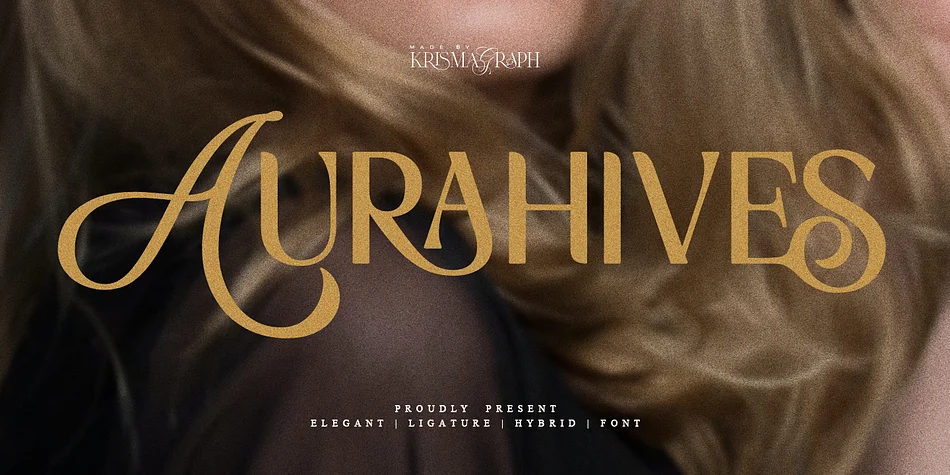
Browse fonts by theme
Curated collections →Saw a font in a picture? Identify any font from an image with our free Font Finder.
More Display Fonts
Browse all →







What pairs well with Glaire Font?
Glaire Font is a display font that shines as a display or heading face. Pair it with a clean sans-serif or serif font for body text — the contrast creates a clear hierarchy while the two styles stay balanced and easy to read.




Glaire Font
by Krismagraph
Reviewed by the FontBoxDL team · Updated September 2026