 Firefox
About GIFT LIST JNL Font
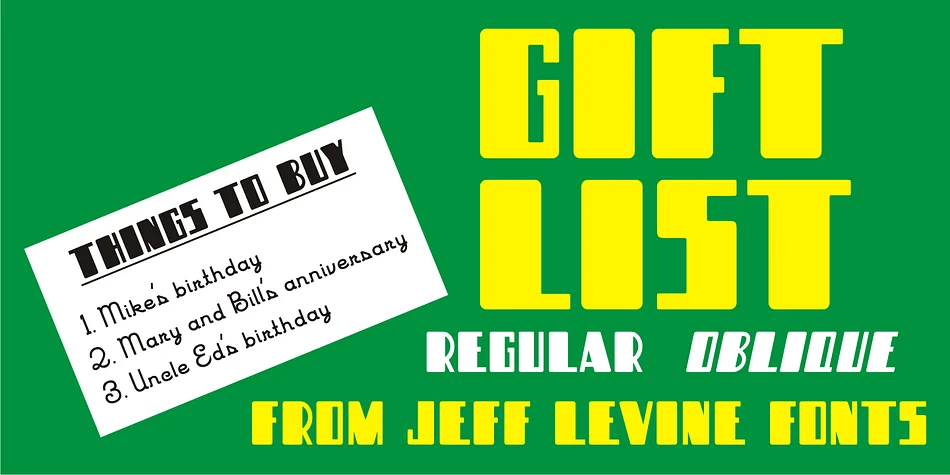
Bold and blocky letterforms with rounded corners give Gift List JNL a friendly, approachable personality that feels genuinely welcoming on the page. Designed by Jeff Levine Fonts, this display typeface draws from hand lettering found on vintage children's craft booklets, channeling that nostalgic charm into contemporary work with real character. The letterforms maintain clarity without sacrificing warmth, creating a balance between playful and legible that works across many applications without feeling forced.
This typeface excels in contexts where approachability and human touch matter most: children's birthday party invitations, craft supply packaging labels, DIY scrapbooking layouts, and personalized greeting card designs all benefit from its informal energy and accessible charm. You get both regular and oblique versions, providing genuine flexibility in how you apply the font to different design scenarios without losing consistency. Rounded corners soften what could otherwise feel mechanical or sterile, anchoring the design in something more tactile and hand-crafted.
Best suited for projects created by and for makers, crafters, and families who value personality in their visual communication, Gift List JNL delivers exactly what those audiences respond to. Playfulness doesn't mean compromising on legibility, and this font delivers on both fronts consistently. It's available on Creative Fabrica for your next project.
Style & Use Cases
- Overall Style
- Eye-catching, Bold
- Use Case
- Headlines, Logos
- Ideal For
- posters, branding, and social media graphics
- Pairs With
- a readable sans or serif for body
How to Install GIFT LIST JNL Font
Step-by-step instructions for every platform
- 1Download the GIFT LIST JNL font file (.ttf or .otf).
- 2Locate the downloaded file in your Downloads folder.
- 3Right-click the font file.
- 4Select "Install" to install for the current user, or "Install for all users" to make it available system-wide.
- 5GIFT LIST JNL is now available in Word, Photoshop, Illustrator, and all other apps.
More by Jeff Levine Fonts
View all →



Browse fonts by theme
Curated collections →Saw a font in a picture? Identify any font from an image with our free Font Finder.
More Display Fonts
Browse all →







What pairs well with GIFT LIST JNL Font?
GIFT LIST JNL Font is a display font that shines as a display or heading face. Pair it with a clean sans-serif or serif font for body text — the contrast creates a clear hierarchy while the two styles stay balanced and easy to read.




GIFT LIST JNL Font
Reviewed by the FontBoxDL team · Updated September 2026