 Firefox
 1 / 5
1 / 5About Doodlesprig Font
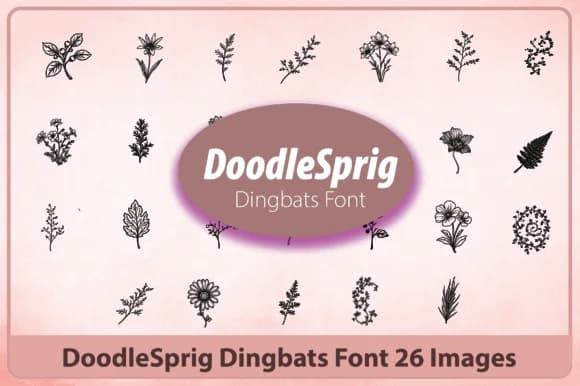
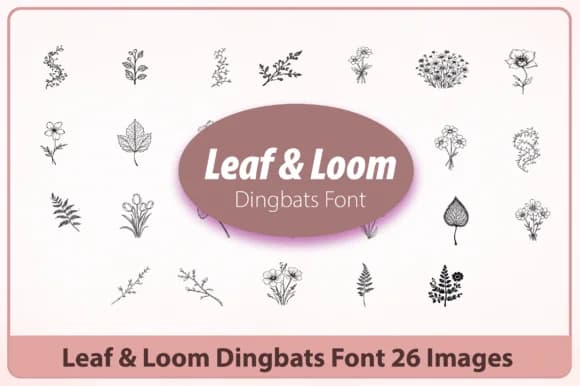
Doodlesprig brings a playful, hand-sketched charm to any design that needs a gentle botanical touch. Created by Happy Bamboo, this dingbat font replaces letters and characters with organic leaf shapes, delicate flower clusters, and nature-inspired icons that feel personal rather than mechanical or sterile. It's the kind of typeface that makes you smile when you're building layouts.
The collection works beautifully for wedding stationery suites, where clients want botanical elements without heavy florals demanding all the visual attention. It shines equally well on plant-based beauty brand packaging, herbal tea labels, and DIY journaling spreads with a whimsical nature theme that enhances the overall composition. Social media graphics for gardening accounts, wellness brands, and indie bookstores all benefit from its softer, more approachable aesthetic. Nature-themed branding projects, botanical greeting cards, and event invitations for outdoor celebrations round out the real-world applications where this style truly shines.
Pair Doodlesprig with a clean, contemporary sans-serif (such as Montserrat or Inter) for body text, letting the dingbats shine as decorative accents and icons throughout your layout. This combination keeps designs feeling organic and polished without sacrificing legibility or visual clarity. Find Doodlesprig on Creative Fabrica to add these leafy characters to your next project.
Style & Use Cases
- Overall Style
- Iconographic, Botanical Dingbat Font
- Use Case
- Icons, Accents
- Ideal For
- ornaments, bullets, and decorative flourishes
- Pairs With
- any text font
How to Install Doodlesprig Font
Step-by-step instructions for every platform
- 1Download the Doodlesprig font file (.ttf or .otf).
- 2Locate the downloaded file in your Downloads folder.
- 3Right-click the font file.
- 4Select "Install" to install for the current user, or "Install for all users" to make it available system-wide.
- 5Doodlesprig is now available in Word, Photoshop, Illustrator, and all other apps.
More by Happy Bamboo
View all →
Browse fonts by theme
Curated collections →Saw a font in a picture? Identify any font from an image with our free Font Finder.
More Dingbats Fonts
Browse all →







What pairs well with Doodlesprig Font?
Doodlesprig Font is a versatile dingbats font that works for both headings and body text. Pair it with a contrasting sans-serif or serif font to add visual interest and a clear distinction between titles and body copy.



Doodlesprig Font
by Happy Bamboo
Reviewed by the FontBoxDL team · Updated July 2026