
 1 / 8
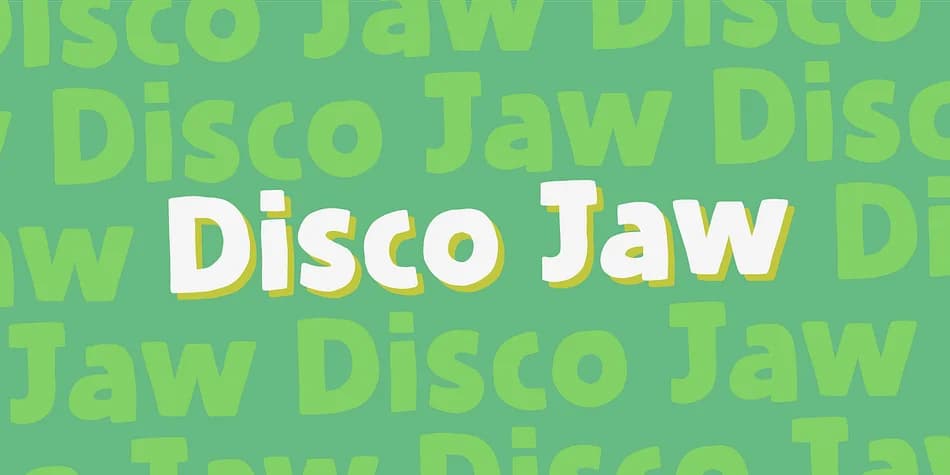
1 / 8About Disco Jaw Font
The beat is on, the piano plays the funky tunes and the rhythm guitars do their best to get the party started! The party starts with your design - use the Disco Jaw font if you are working with a theme that involves comic, kids, commercial, arts and crafts, posters ... anything that needs a fresh kick!
Included are jumpy alternative letters, which makes your text look alive and kicking - and or course, there is multilingual support!
How to Install Disco Jaw Font
Step-by-step instructions for every platform
- 1Download the Disco Jaw font file (.ttf or .otf).
- 2Locate the downloaded file in your Downloads folder.
- 3Right-click the font file.
- 4Select "Install" to install for the current user, or "Install for all users" to make it available system-wide.
- 5Disco Jaw is now available in Word, Photoshop, Illustrator, and all other apps.
More by Pizzadude.dk
View all →

More Decorative Fonts
Browse all →







What pairs well with Disco Jaw Font?
Disco Jaw Font is a decorative font that shines as a display or heading face. Pair it with a clean sans-serif or serif font for body text — the contrast creates a clear hierarchy while the two styles stay balanced and easy to read.


Disco Jaw Font
by Pizzadude.dk
Reviewed by the FontBoxDL team · Updated April 2026