 Firefox
 1 / 2
1 / 2About CYBERGLASS JNL Font
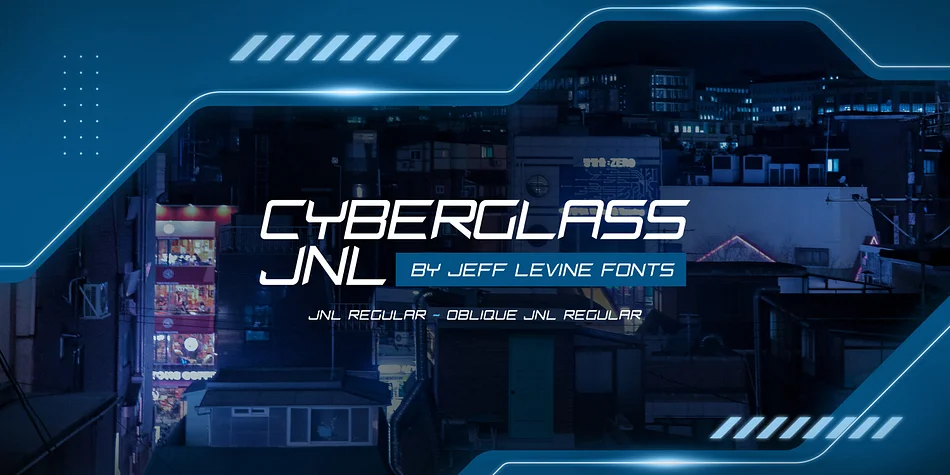
CYBERGLASS JNL pulls directly from 1980s science fiction and technology graphics, with angular, geometric letterforms that evoke circuit boards and the machinery of space exploration. Designed by Jeff Levine Fonts, this display typeface captures that era's relentless fascination with all things digital and futuristic, delivering instant nostalgia wrapped around contemporary retro appeal that works today.
What makes it so effective is how purposefully the characters feel engineered rather than playful, grounding the whole face in authentic visual language. Sci-fi movie posters come alive in this typeface, as do synthwave album covers, vintage arcade game signage, and craft beer labels built entirely around 80s aesthetics. Podcast artwork with retro sensibilities, fashion brand headers aiming for throwback sophistication, greeting cards playing with futuristic nostalgia, and alternative event invitations all sing when set here. The typeface hits that nostalgic sweet spot without veering into shallow pastiche or empty aesthetic borrowing.
This font belongs in the toolkit of anyone designing for 80s-inspired work or tapping into the current wave of retro-futuristic trends. CYBERGLASS JNL delivers both approaches with the confidence of a typeface that knows exactly what it is and does. You'll find it available on Creative Fabrica when you need that nostalgic punch.
Style & Use Cases
- Overall Style
- Eye-catching, Bold
- Use Case
- Headlines, Logos
- Ideal For
- posters, branding, and social media graphics
- Pairs With
- a readable sans or serif for body
How to Install CYBERGLASS JNL Font
Step-by-step instructions for every platform
- 1Download the CYBERGLASS JNL font file (.ttf or .otf).
- 2Locate the downloaded file in your Downloads folder.
- 3Right-click the font file.
- 4Select "Install" to install for the current user, or "Install for all users" to make it available system-wide.
- 5CYBERGLASS JNL is now available in Word, Photoshop, Illustrator, and all other apps.
More by Jeff Levine Fonts
View all →



Browse fonts by theme
Curated collections →Saw a font in a picture? Identify any font from an image with our free Font Finder.
More Display Fonts
Browse all →







What pairs well with CYBERGLASS JNL Font?
CYBERGLASS JNL Font is a display font that shines as a display or heading face. Pair it with a clean sans-serif or serif font for body text — the contrast creates a clear hierarchy while the two styles stay balanced and easy to read.




CYBERGLASS JNL Font
Reviewed by the FontBoxDL team · Updated October 2026