 Firefox
 1 / 5
1 / 5About CASUAL DATE JNL Font
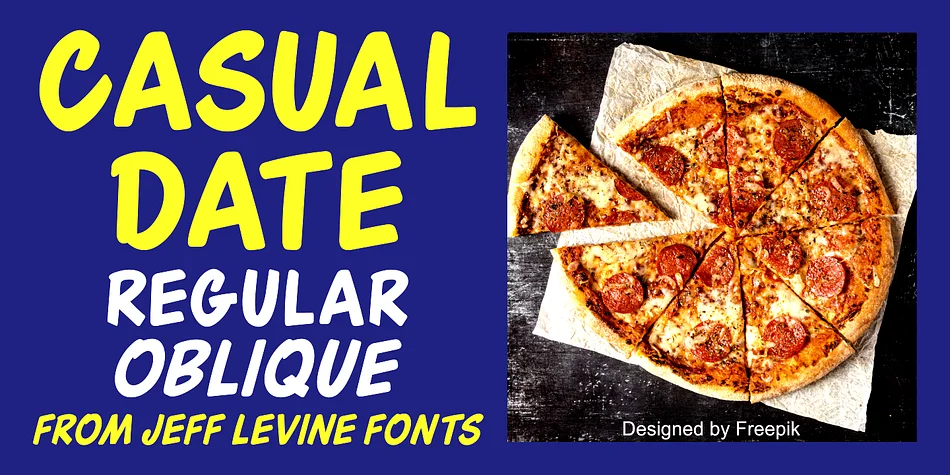
This brush-styled sans serif captures the friendly, casual hand lettering that dominated cinema advertising in the 1940s. Created by Jeff Levine Fonts, Casual Date JNL draws directly from a September 1948 Film Daily advertisement for the "A Date with Judy" movie series, where the letterforms carried that characteristic looseness and informal charm of hand-painted show cards and street-side signage from the era. It's the typeface that instantly communicates a specific moment in design history, with the warmth and human touch that mass-produced fonts struggle to convey.
The font's informal personality works beautifully for retro diner menus, vintage movie-style posters, and hand-painted cafe signage where period aesthetics strengthen the brand story. You'll find it equally suited to custom vinyl decals for vintage-inspired events, record label designs, and small-batch cosmetics packaging where a homemade, crafted aesthetic builds genuine customer trust. Coming in both regular and oblique versions, you have the flexibility to add tilt and visual movement when the design requires extra personality and energy.
For designers building mid-century brands or tackling personal projects rooted in nostalgic appeal, this typeface delivers instant recognition and authentic character that feels earned rather than imposed. Get it on Creative Fabrica and start bringing that genuine 1940s warmth to your next design.
Style & Use Cases
- Overall Style
- Eye-catching, Bold
- Use Case
- Headlines, Logos
- Ideal For
- posters, branding, and social media graphics
- Pairs With
- a readable sans or serif for body
How to Install CASUAL DATE JNL Font
Step-by-step instructions for every platform
- 1Download the CASUAL DATE JNL font file (.ttf or .otf).
- 2Locate the downloaded file in your Downloads folder.
- 3Right-click the font file.
- 4Select "Install" to install for the current user, or "Install for all users" to make it available system-wide.
- 5CASUAL DATE JNL is now available in Word, Photoshop, Illustrator, and all other apps.
More by Jeff Levine Fonts
View all →



Browse fonts by theme
Curated collections →Saw a font in a picture? Identify any font from an image with our free Font Finder.
More Display Fonts
Browse all →







What pairs well with CASUAL DATE JNL Font?
CASUAL DATE JNL Font is a display font that shines as a display or heading face. Pair it with a clean sans-serif or serif font for body text — the contrast creates a clear hierarchy while the two styles stay balanced and easy to read.




CASUAL DATE JNL Font
Reviewed by the FontBoxDL team · Updated June 2026